40 • English
delete all saved records
8
You can delete all records by following the steps below.
Please note that with this function all of the records will be deleted. It is
not possible to delete only one, or a few records.
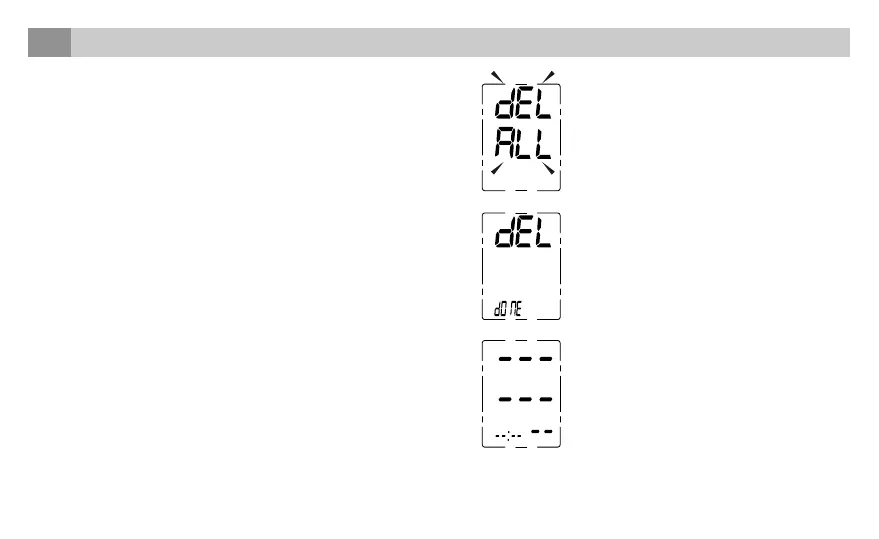
1. In the memory mode, hold down the “MEM” button for 3 seconds,
and the flash display “dEL ALL” will show.
2. Press “MEM” to confirm deletion, and the LCD displays “dEL dONE”
and the monitor will turn off.
Note: To exit out of delete mode without deleting any records,
press the START/STOP button before pressing “MEM” to confirm
any delete commands.
3. If there is no record anymore, the display will show the following:



 To Next Page