For technical assistance call
4
NA / LATAM // 704.752.6513
•
888.55.INVUE
EMEA // +31.23.8900150
APAC // +852.3127.6811
19
Open the InVue LIVE Access app
and enter your login credentials.
Note: Your Passcode is the same
as your OKM User PIN.
21
Tap the lock knob with the NFC
antenna of the device being used.
The lock will unlock and relock
within 4 seconds.
20
If prompted, select the site where
the lock has been installed.
LIVE Cam Lock LL301
18
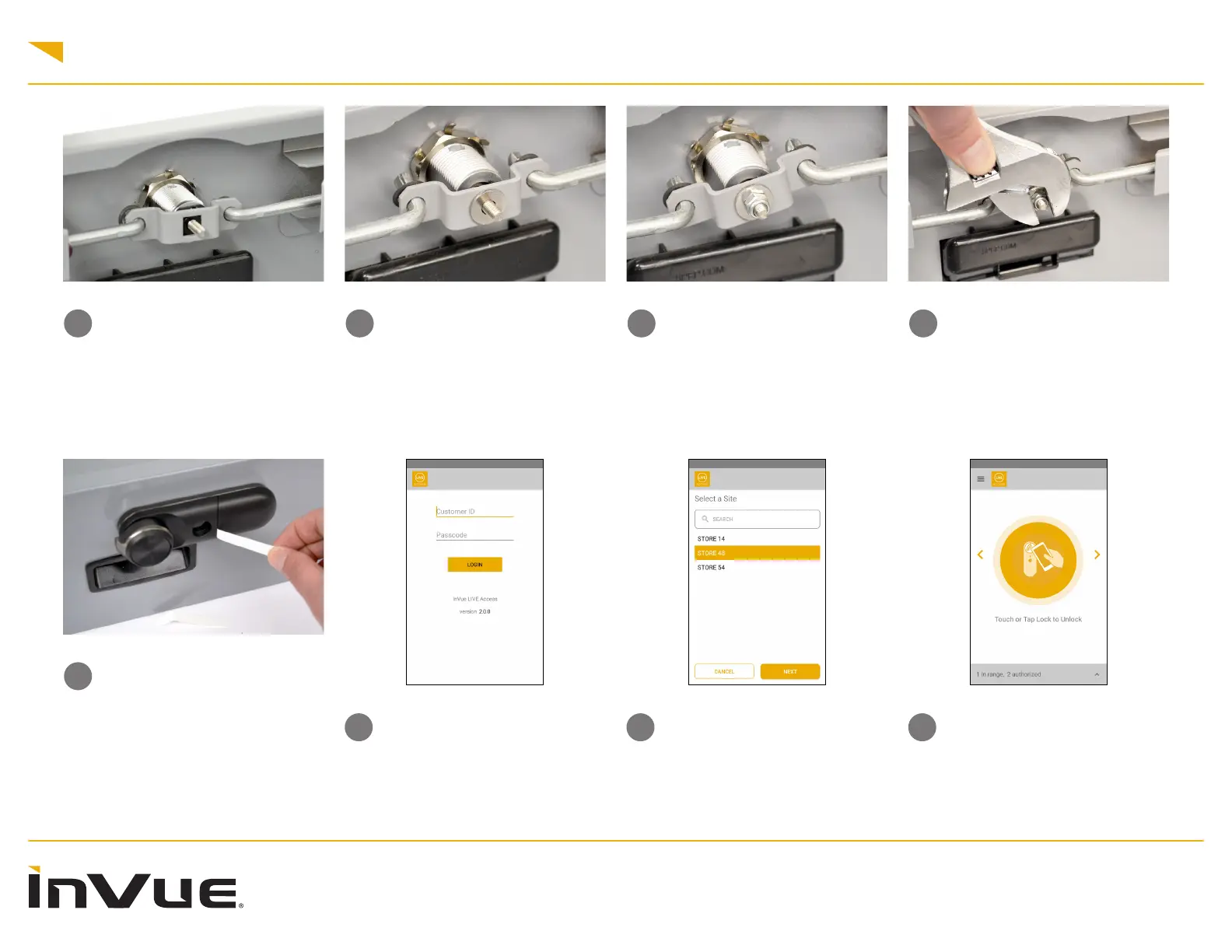
Pull the battery tabs.
17
Use a wrench to fully tighten.
16
Thread the supplied nut onto the
shaft.
14
Place the original hardware back
onto the shaft.
Note: This applies to both double-
throw locks and single cam arms.
15
Place the washer over the shaft.



 To Next Page