For technical assistance call
6
NA / LATAM // 704.752.6513
•
888.55.INVUE
EMEA // +31.23.8900150
APAC // +852.3127.6811
LIVE Cam Lock LL301
31
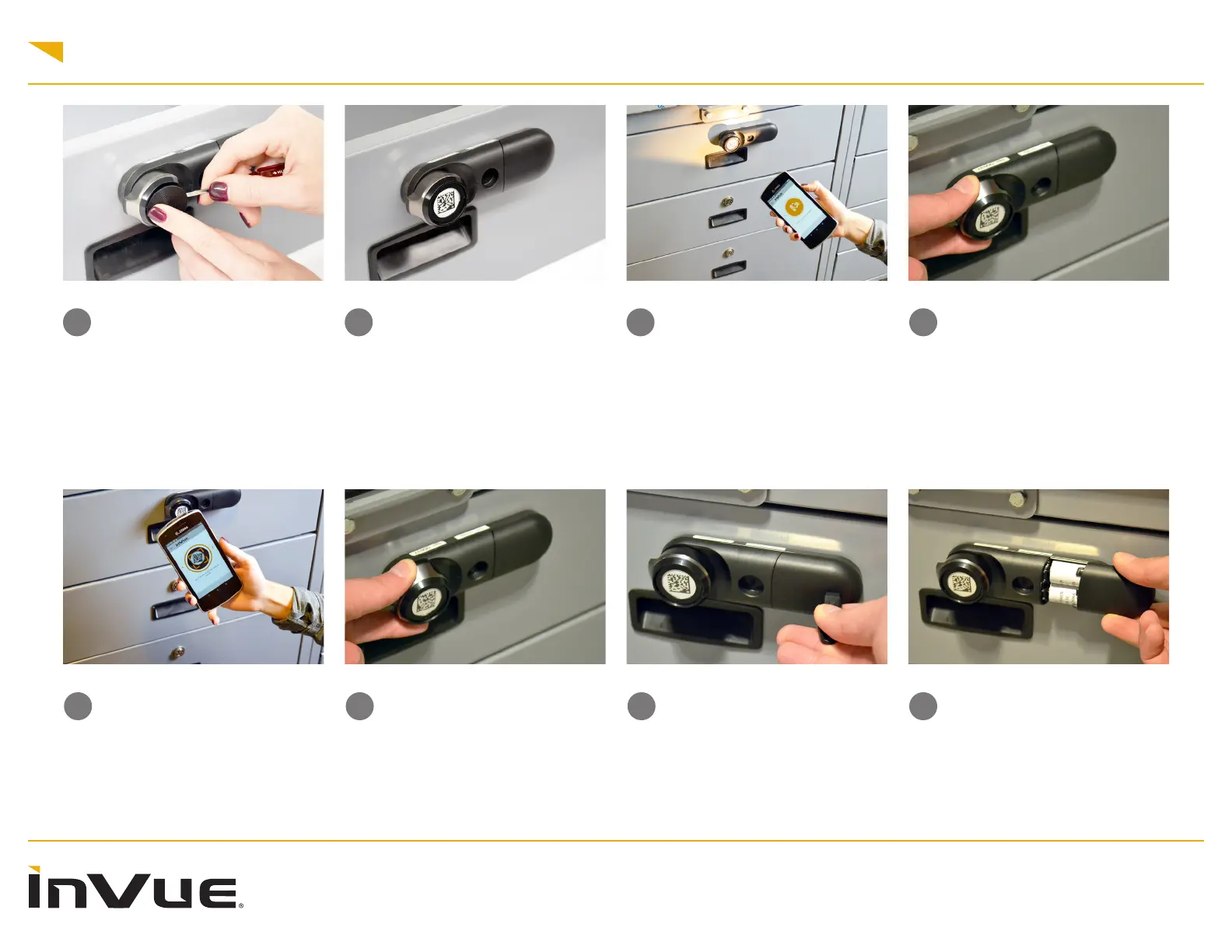
Battery Replacement Steps:
Place a magnet key near the end
of the battery panel on the lock.
Note: Even with low batteries
the lock will still function with a
OneKEY.
3232
Remove the battery panel from the
lock.
30b30b
You will have several seconds to
turn the knob to unlock and open.
If the LED on the lock ashes red
before the lock is opened, it will
need to be unlocked again.
30a30a
Lock Activation Using Device
Camera: Open the InVue LIVE
Access App on your smart device
and toggle to the “Camera Scan”
screen. Center the barcode in the
viewnder. Once conrmed by the
App displaying “unlocked” and the
LED ashing green.
29b29b
You will have several seconds to
turn the knob to unlock and open.
If the LED on the lock ashes red
before the lock is opened, it will
need to be unlocked again.
29a29a
Lock Activation Using Scanning
Device: If your smart device has
a built in barcode reader, aim and
scan the code on the front of the
lock while the InVue LIVE Access
App is open. Once conrmed by
the App displaying “unlocked” and
the LED ashing.
28b28b
Remove the panel to reveal the
barcode.
28a28a
Using the 2D Barcode:
Insert a thin edged tool into the
small notch between the lock body
and the round plate.



 To Next Page