17
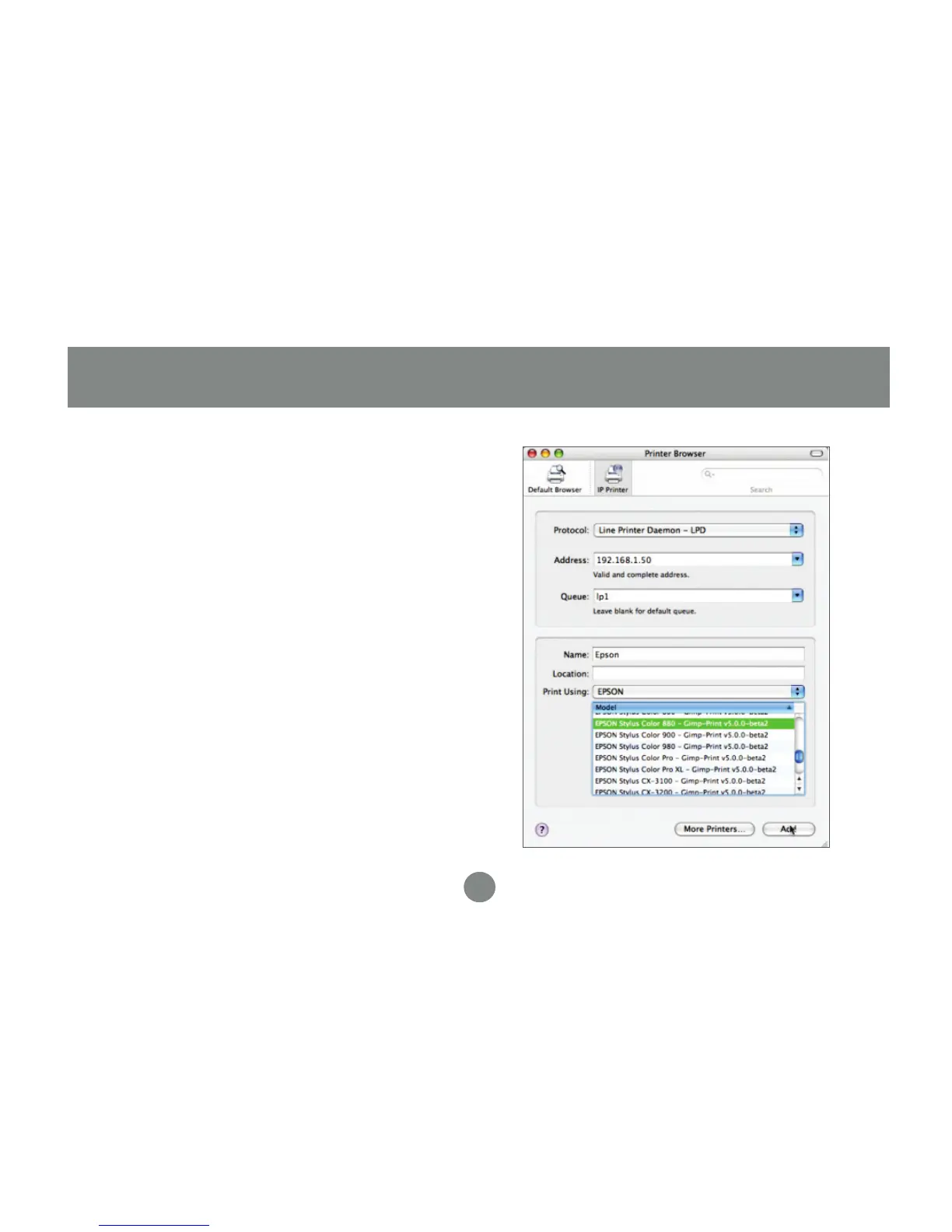
Select the LPD protocol, then type in the
IP address of the print server. Type “lp1”
with lowercase letters for the name of the
Queue. Name the new printer and select
the model below. Click Add when you are
finished, and you are ready to print.
3.
Software Installation - Mac


 To Next Page