16
Software Installation - Mac
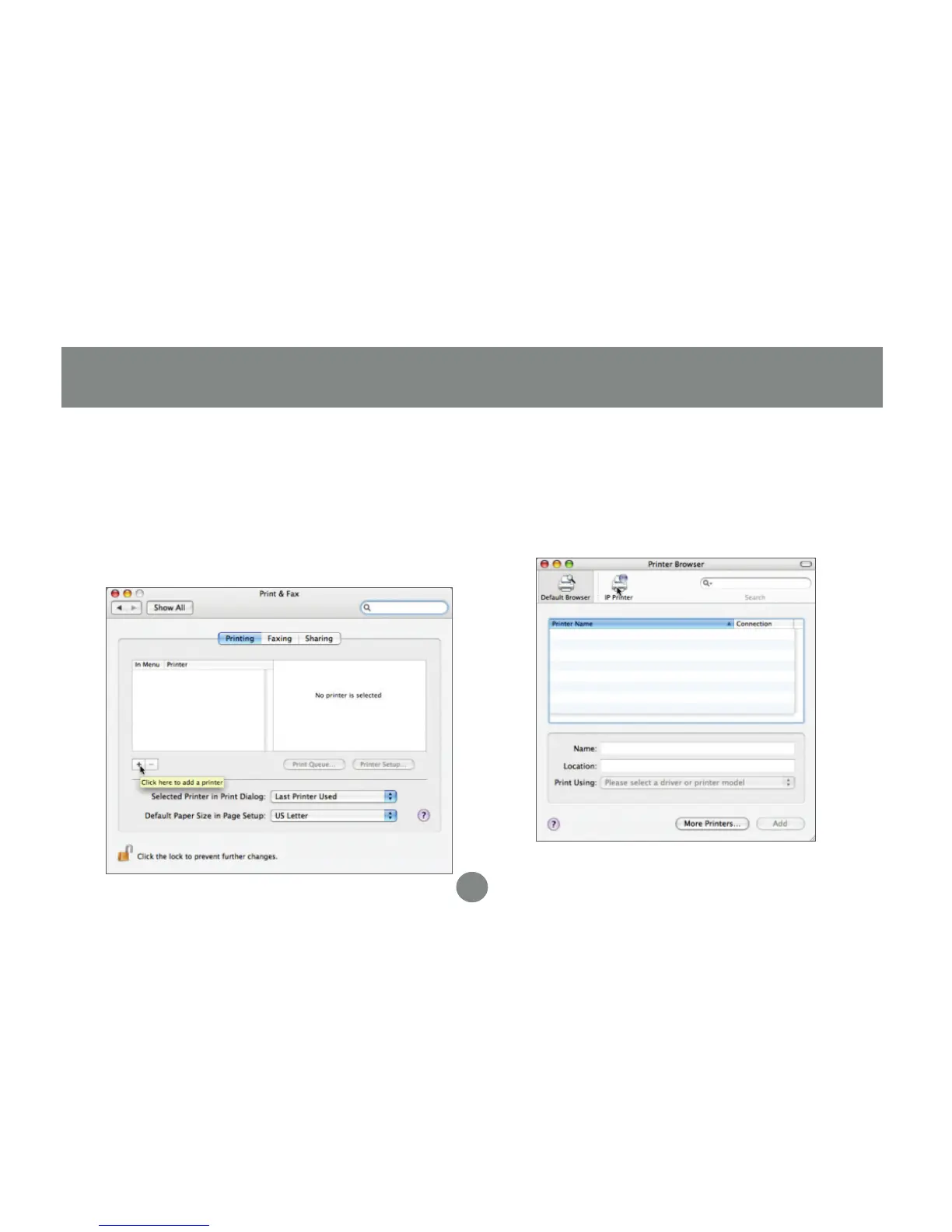
No software from the Setup CD is needed
on Macintosh systems. Simply open the
Print and Fax settings from your System
Preferences window. Click the plus (+)
button to setup a new printer.
1.
At the top of the Printer Browser, click the
icon for IP printer.
2.
Software Installation - Mac


 To Next Page