9
Determine if you’re connecting via Wi-Fi Direct or connecting via
USB Wi-Fi adapter
Most Android based mobile devices supports casting screen from the
devices to the IOGEAR Duplicast receivers, then to the TV. It is done
by going to Settings or Options on the phone, below examples are for
specic phones, your phone may show different screens, generally
you can nd these options under Screen or Display options, with
terms like Screen Mirroring, or Smart View”, or Cast.
Android devices
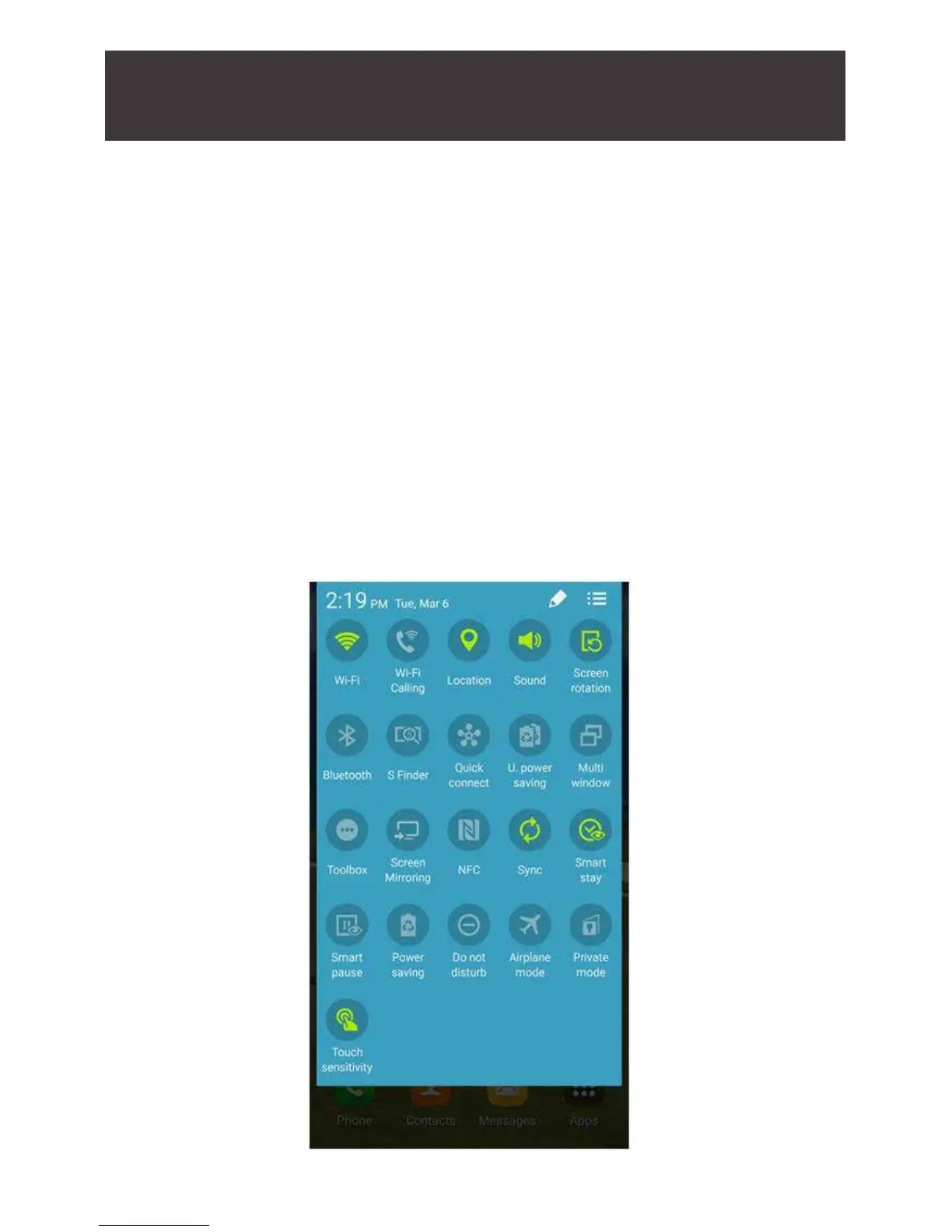
1. On your Home screen. Using two ngers, swipe down from the
top of the screen and “Options” menu will appear. From the
Options menu choose “Smart View” (some older version may
label it “Screen Mirroring”).
Installation for Android based tablets and phones



 To Next Page