7
Inserting/Ejecting PocketZip
™
Disks
6
Insert a PocketZip
™
disk, and the HipZip
™
player is now
ready to use.
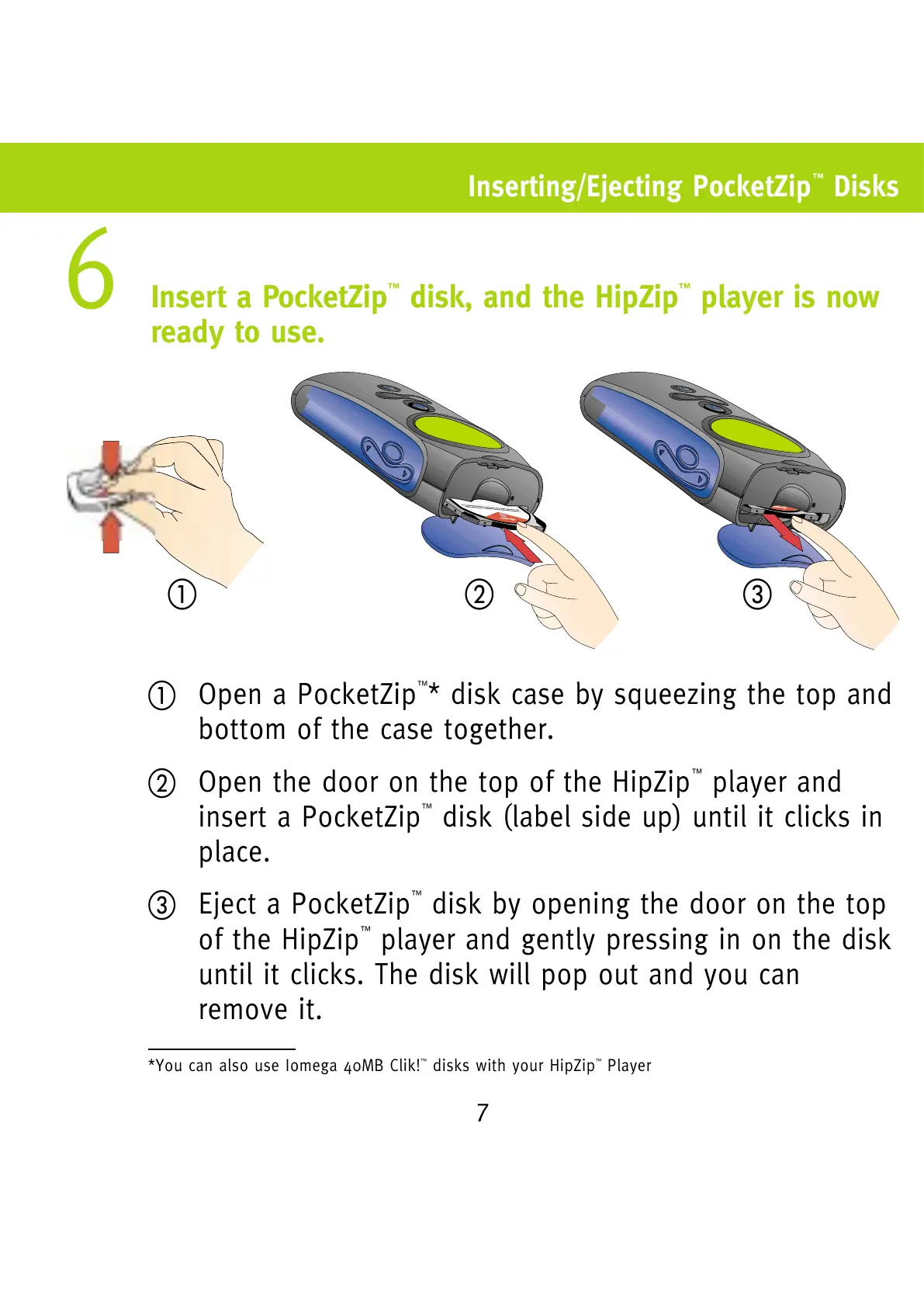
햲 Open a PocketZip
™
* disk case by squeezing the top and
bottom of the case together.
햳 Open the door on the top of the HipZip
™
player and
insert a PocketZip
™
disk (label side up) until it clicks in
place.
햴 Eject a PocketZip
™
disk by opening the door on the top
of the HipZip
™
player and gently pressing in on the disk
until it clicks. The disk will pop out and you can
remove it.
*You can also use Iomega 40MB Clik!
™
disks with your HipZip
™
Player
햲햳햴


 To Next Page