If the appropriate icon does not appear, first try connecting the power supply to the interface module
and an electrical outlet; your FireWire port may not be able to supply the necessary power. If the
appropriate icon still does not appear, refer to the section Troubleshooting for FireWire Drive Systems
or see the Iomega Web Support Site at www.iomega.com/support.
6. Read the FireWire Guidelines in this manual for important information on FireWire compatibility.
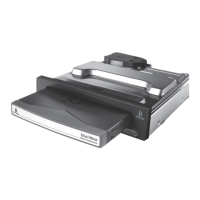
If you encounter problems installing or using your FireWire Peerless Drive System, refer to the
Troubleshooting section.
| top of page |
Connecting Your FireWire Peerless Drive System to a 4-pin FireWire
Connector
1. Your FireWire Peerless Drive System does not include a 4-pin to 6-pin FireWire cable. To obtain a 4-
pin to 6-pin FireWire cable, contact your local computer retailer.
4-pin cable end
2. If you have not already installed the IomegaWare
™
software, install it now and shut down your
computer. (Even though the Peerless drive system is plug-and-
play, shutting down your system the first
time you connect the drive system makes it easier for the computer to recognize the drive when you
restart.)
3. Connect the 4-pin end of the FireWire cable to a 4-pin FireWire port on your computer.










 To Next Page