18
CHAPTER 4: CREATING DRUM SETS
The iDM02's 12 pads and 11 trigger inputs can be assigned to various drum sounds,
with different levels, tuning, panning, triggering mode, and output jack assignment. Each
set of pad parameters is given a number and collectively are called a Drum Set; each A
and B user Pattern can have its own Drum Set assignment. There are 50 preset Drum
Sets and 50 user-programmable Drum Sets.
Note that if you edit a Drum Set, any Pattern using that Drum Set will be affected. Most
iDM02 aficionados keep a one-to-one correspondence between Drum Sets and Patterns
by assigning Set 00 to Pattern 00, Set 01 to Pattern 01, Set 02 to Pattern 02, etc.
General instructions for Drum Set construction are:
1. Press the DRUM SET button.
2. Use the Page (up and down) buttons to select different "pages" of functions; the
display's lower right window shows the page number. These pages are described
below.
3. Adjust values on pages, if necessary, as described for each page.
4. After making all needed changes, save the Drum Set if desired (Page 8), then
press DRUM SET again to exit (or choose another page).
Page 1: Select Drum Set (Drumset Select)
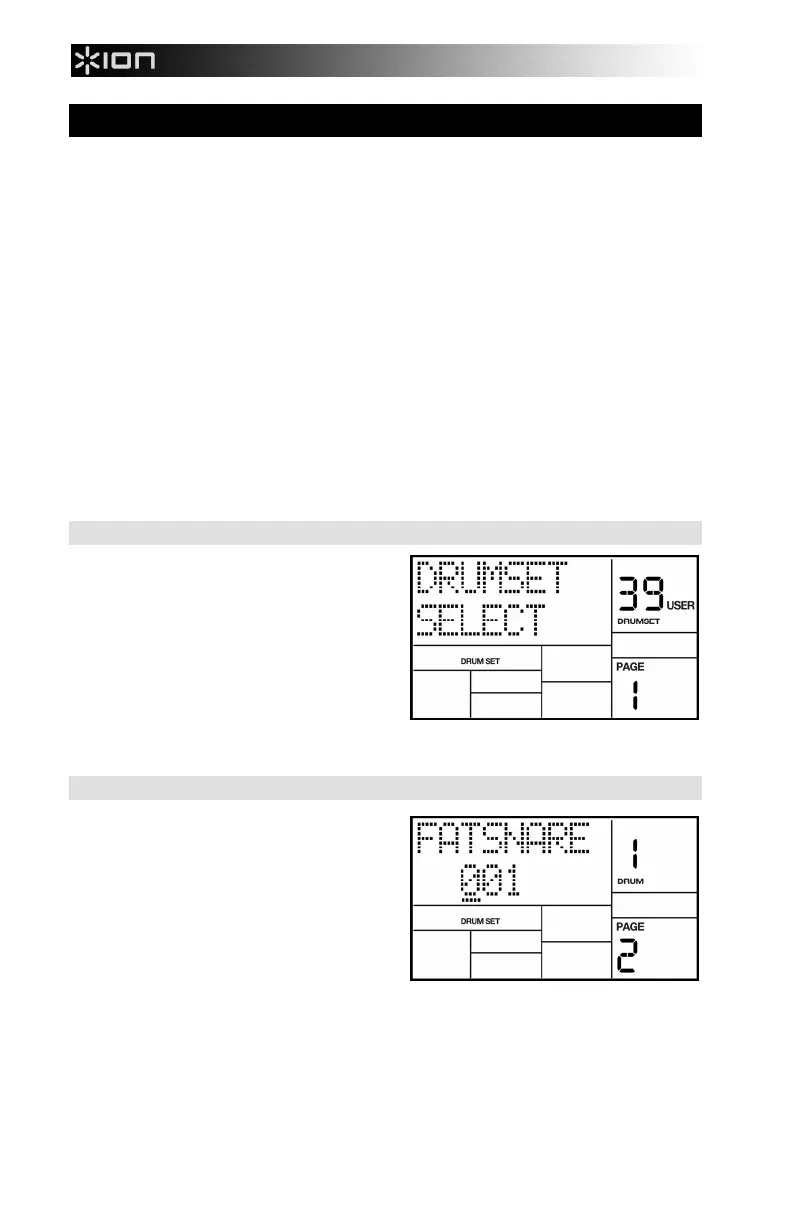
The display shows DRUMSET SELECT, the
currently selected Drum Set number, and
whether the Preset or User Drum Set bank is
currently selected.
1. Press the PRESET/USER button to
choose the desired bank of Drum Sets.
2. Enter the desired Drum Set number
(from 00 to 49) with the number or
INC/DEC buttons. With the number buttons, enter a leading zero if necessary.
3. User Patterns will remember the selected Drum Set assignments.
Page 2: Assign Sounds To Pads
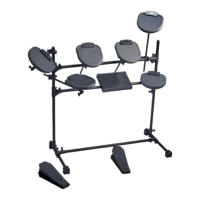
The display shows the currently selected pad
number and the sound assigned to that pad.
You can assign any of the iDM02's sounds
to any of the pads, or to more than one pad.
Each individual Drum Set can have its own
drum sound assignment.
To assign a sound to a pad:
1. Press the pad (the display will show the pad number).
2. Enter the desired drum sound number with the number or INC/DEC buttons. When
using the number buttons, enter a leading zero if necessary.
3. When the display confirms your choice, either store the edited Drum Set or do more
assignments by tapping another pad to select it, and assigning a drum sound to it.



 To Next Page