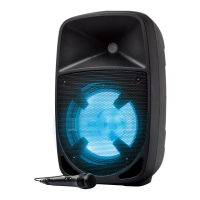
ION Audio Pro Glow™ Express User Guide 8
8. Lights Button
Press this button to cycle between the five light modes, or to turn the lights o. See
O
peration > Light Modes for more information.
9
. USB Charge/Playback Port
You can use this port for charging the USB device, such as a tablet or smartphone. To
charge a device that is streaming music via Bluetooth, pause the music first and then wait
for it to reconnect after the USB cable (not included) is inserted.
You can also connect a USB flash drive here to play music. See O
peration > USB Mode for
more information.
1
0. Mic In
Connect the included microphone to this input using the 1/4" (6.35 mm) cable.
1
1. Aux In
Connect a CD player, MP3 player, or other audio source to this 1/8” (3.5 mm) input.
1
2. Power LED
This LED will be lit when the unit is powered on.
1
3. Clip LED
This LED will flash red if the signal from the input jacks or audio source is clipping
(distortion from an overly loud signal). If this happens, decrease the main volume or the
source volume for the A
ux or Mic Inputs (if a loud device is plugged into either) using the
C
ontrol Knob.
1
4. Power Switch
Turns Pro Glow™ Express on or o. When the power is on, the P
ower LED will be lit green.
1
5. Power Cable Input
Connect the included power cable here to power the unit.


 To Next Page