4
Features
Top Panel
1
2
3
4
5
6
7
8
9
10
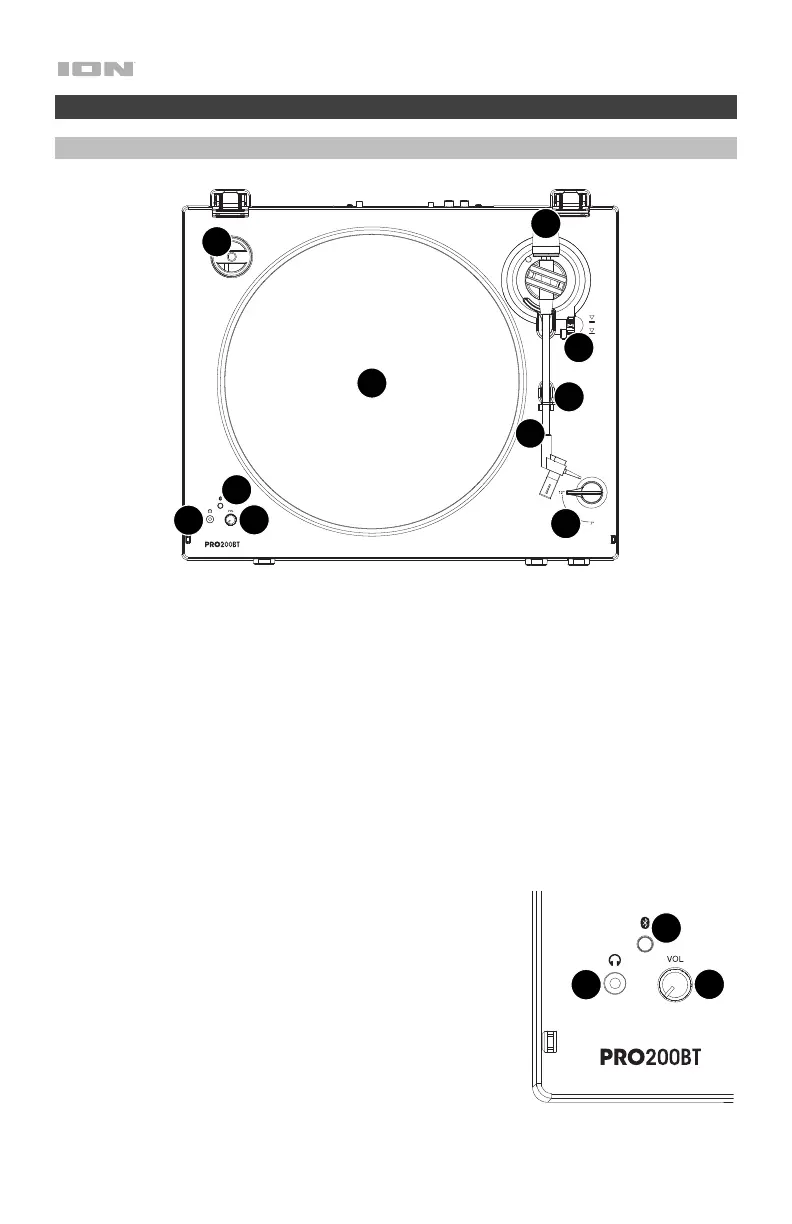
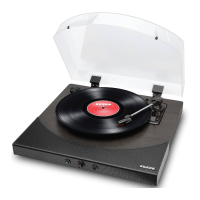
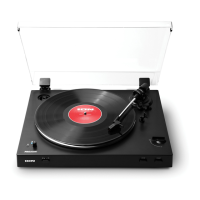
1. Platter: Place the slipmat here, and then place your record on the slipmat.
2. Tonearm: The fixed tonearm can be raised and lowered by hand, or by using the Raise /
Lower Lever.
3. Arm Clip: This specially designed arm clip secures the tonearm when not in use.
4. Raise / Lower Lever: Use this to raise and lower the tonearm on the record.
5. Counterweight: This is pre-balanced to provide proper tracking for the stylus.
6. 7”/12” Switch: Adjust this switch to select whether you are using either a 7” or 12” record.
7. 45 RPM Adapter Holder: Holds the included 45 RPM adapter. When not using the
adapter, please place it in this holder.
8. Bluetooth Button: Press this button to start Bluetooth
pairing. The LED will blink when pairing with a Bluetooth
device, and remain solid blue once fully paired. If after 5
minutes no Bluetooth speaker can be found to pair with, the
Bluetooth transmitter will become inactive and the
Bluetooth LED will be off. When currently connected to a
Bluetooth device, press this button to disconnect.
9. Volume Knob: Adjust this to control the audio output level.
10. Headphone Jack: Connect headphones (sold separately)
to listen to your vinyl playback.
8
9
10


 To Next Page