
 To Next Page
S
Shelley CollierAug 10, 2025
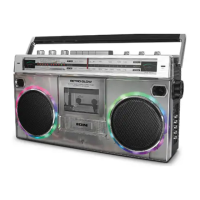
What to do if I cannot connect my audio device to ION Retro Rocker Portable Stereo System via Bluetooth?
- JJennifer GrayAug 10, 2025
To connect your audio device to the ION Retro Rocker Portable Stereo System via Bluetooth, ensure both devices are as close as possible and free from obstructions. Try resetting the Bluetooth connection on the Retro Rocker to disconnect it from other devices and restart the search. If that doesn't work, power cycle the Retro Rocker. Also, reset the Bluetooth connection on your audio device by turning it off and on again. If the Retro Rocker has been paired to another audio device recently that is still within range, you may need to repeat this process with that audio device to fully disconnect. Finally, unpair or forget the Retro Rocker in your audio device's Bluetooth settings, then turn the Retro Rocker off and on and try pairing again.
 General