3. To Adjust DEC Gear
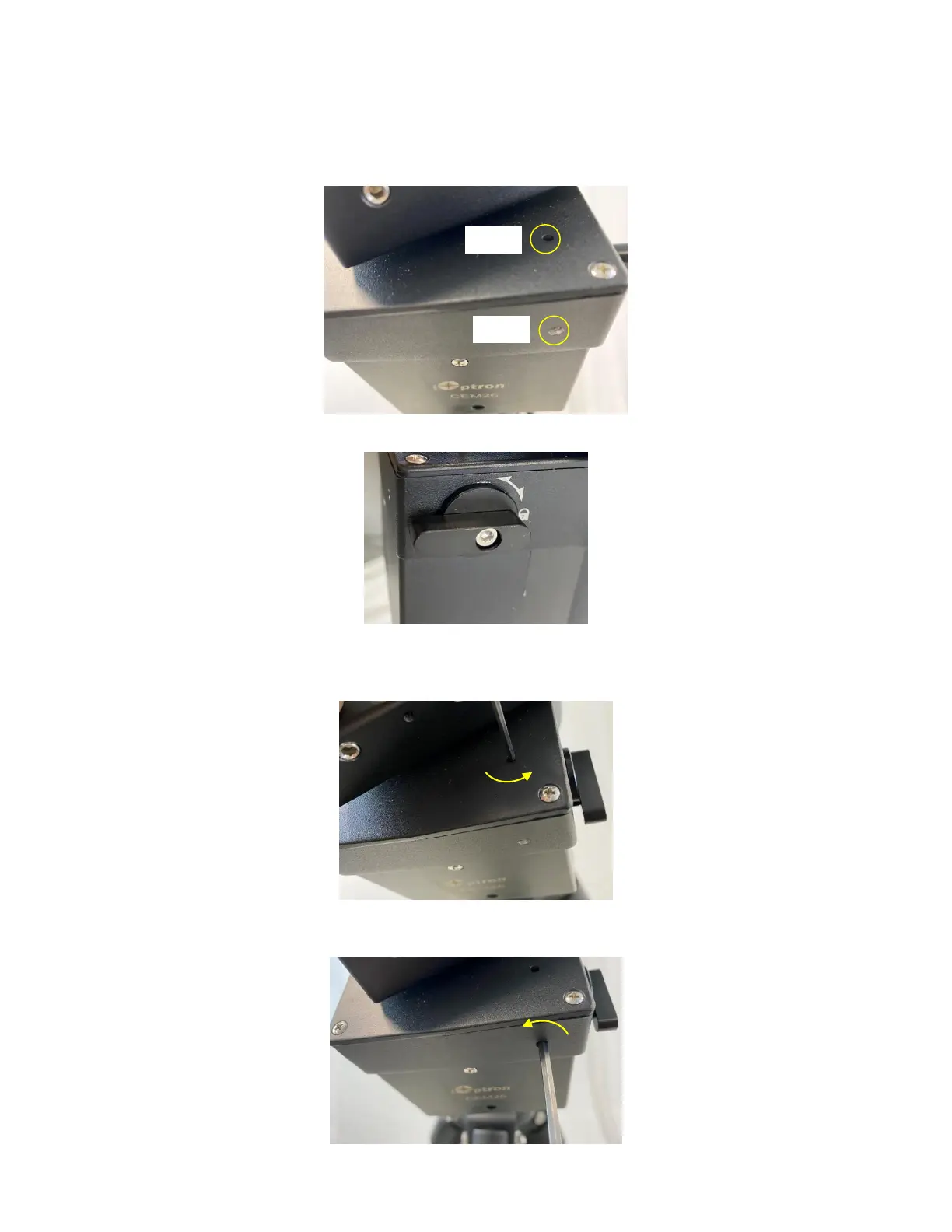
Disengage DEC gear switch. Rotate DEC saddle to exposure the small hole (3mm in diameter) that
is blocked by the dovetail saddle. Another larger hole (5mm) is located on the side of the DEC gear
housing. There is a set screw inside the 3mm hole to lock the gear meshing adjustment plunger, which
is inside the larger hole.
Engage the worm/gear by turn the gear switch to locking position.
Insert the 2mm hex key into the small hole on the top. Gently turn the hex key until you feel it is
engaged to the set screw inside. You may turn the gear switch further in the lock position if the wrench can’t
engage the set screw. Turn the set screw half a turn counterclockwise to release it.
Adjust the gear meshing adjustment plunger on the side inside the large hole by using the 3mm
hex key. Turn counterclockwise to loosen the meshing or turn clockwise to tighten the meshing.



 To Next Page