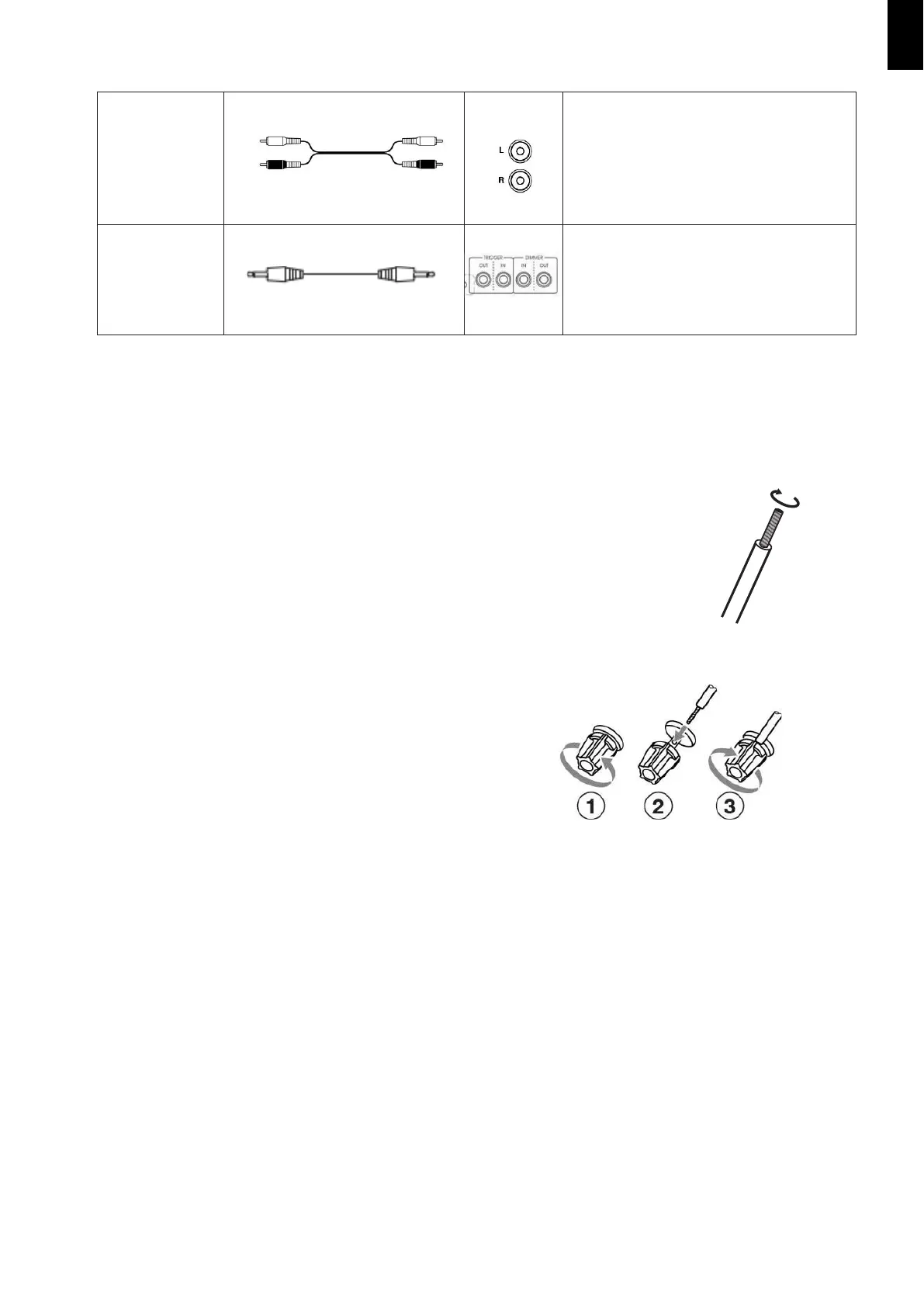
This cable carries a Stereo Analogue Audio
Signal. It’s the most
common connection
format for Analogue Audio and can be found
on virtually all A/V components.
• The Red Plug carries the Right-Hand Side
Audio Channel.
• The White Plug carries the Left-Hand Side
Audio Channel.
Use the supplied or commercially available
mono mini-plug cable to connect to the
TRIGGER IN / OUT or DIMMER IN OR OUT jacks
on the other device for linked operation.
T
h
e
t
i
p
p
o
l
a
r
i
t
y
o
f
t
h
e
c
o
n
n
e
c
t
o
r
s
i
s
a
s
s
h
o
w
n
i
n
t
h
e
r
i
g
h
t
.
t
r
i
g
g
e
Speaker Connections
• Disconnect the power cord from the wall outlet before making or changing any connections.
• Check the impedance of your speakers. Only connect speakers with an impedance of 4 ohms or more.
• The amplifier’s red speaker terminals are the + (positive) terminals and the black terminals are
the – (negative) terminals. The + side of the speaker cable is marked to make it
distinguishable from the – side of the cable. Connect this marked side to the red +
terminals and the unmarked side is the black terminal.
• Prepare the speaker cables for connection by stripping
off approximately 10 mm or less of the outer insulation
(no more as this could cause a short circuit). Twist the
wires tightly so that they do not have any frayed or loose
ends.
Making the Speaker Cable Connections:
1. Unscrew the Knob
2. Insert the bare speaker cable end through the hole in the post
3. Tighten down the knob (finger tight only)
to secure the cable


 To Next Page