How to use D’CENT
1. User Authentication (Fingerprint / PIN)
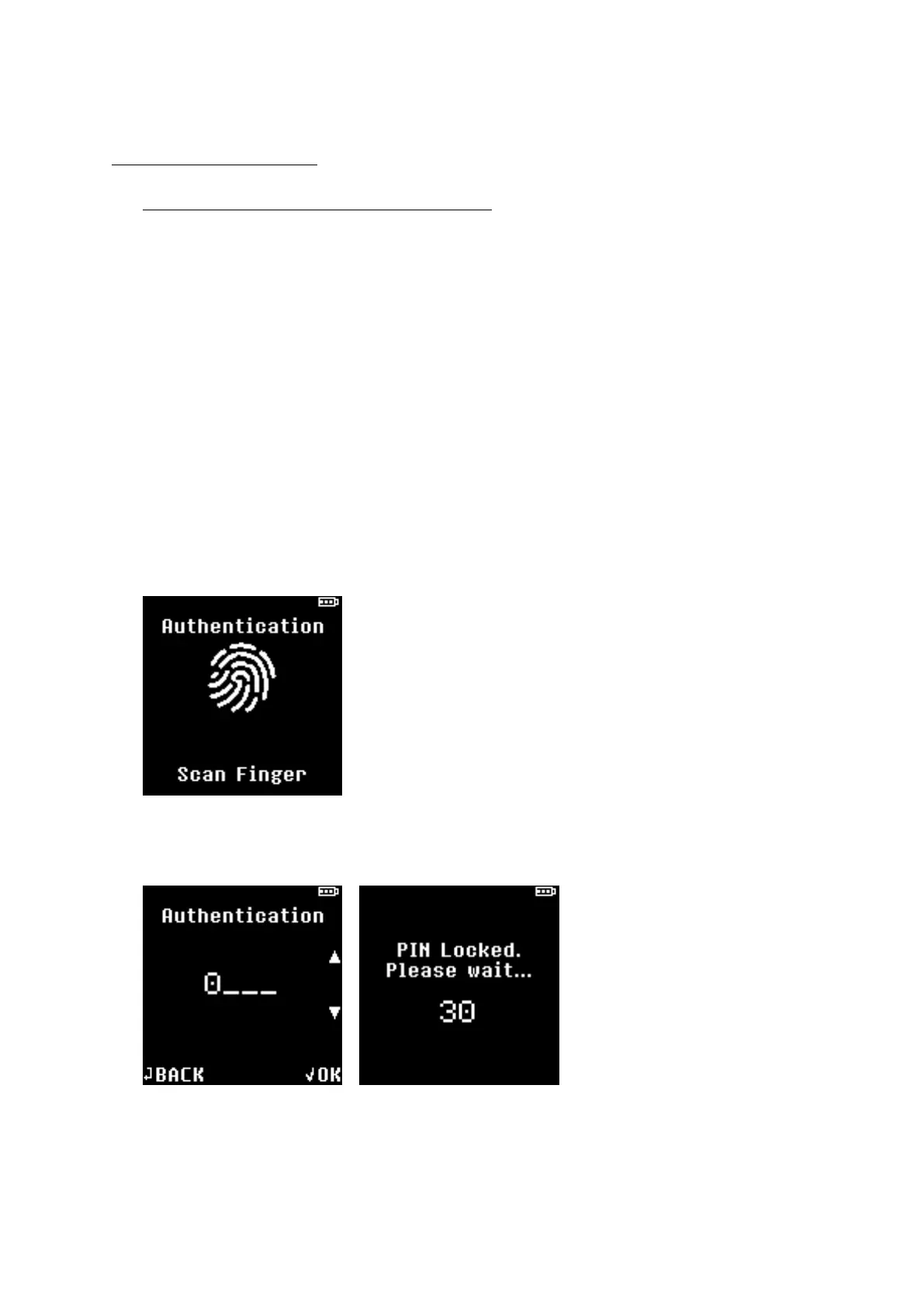
User must authenticate to D’CENT hardware wallet using Fingerprint or PIN that was registered
during the initialization process.
If your fingerprint is registered in D’CENT, you will be prompted to authenticate to the device using
your fingerprint.
If your fingerprint is not registered, you will be prompted to authenticate to the device by entering
your PIN.
★ To gain access your D’CENT hardware wallet, you must first authenticate using your fingerprint
or PIN.
NOTE: If fingerprint authentication fails to match 5 times, authentication method will switch to PIN
method.
NOTE: If PIN fails to match 5 times, you will have to wait 30 seconds for next re-try.
WARNING: D’CENT will automatically enter forced wipe mode when maximum PIN entry attempt
limit is reached. Maximum limit is set to 10 tries.


 To Next Page