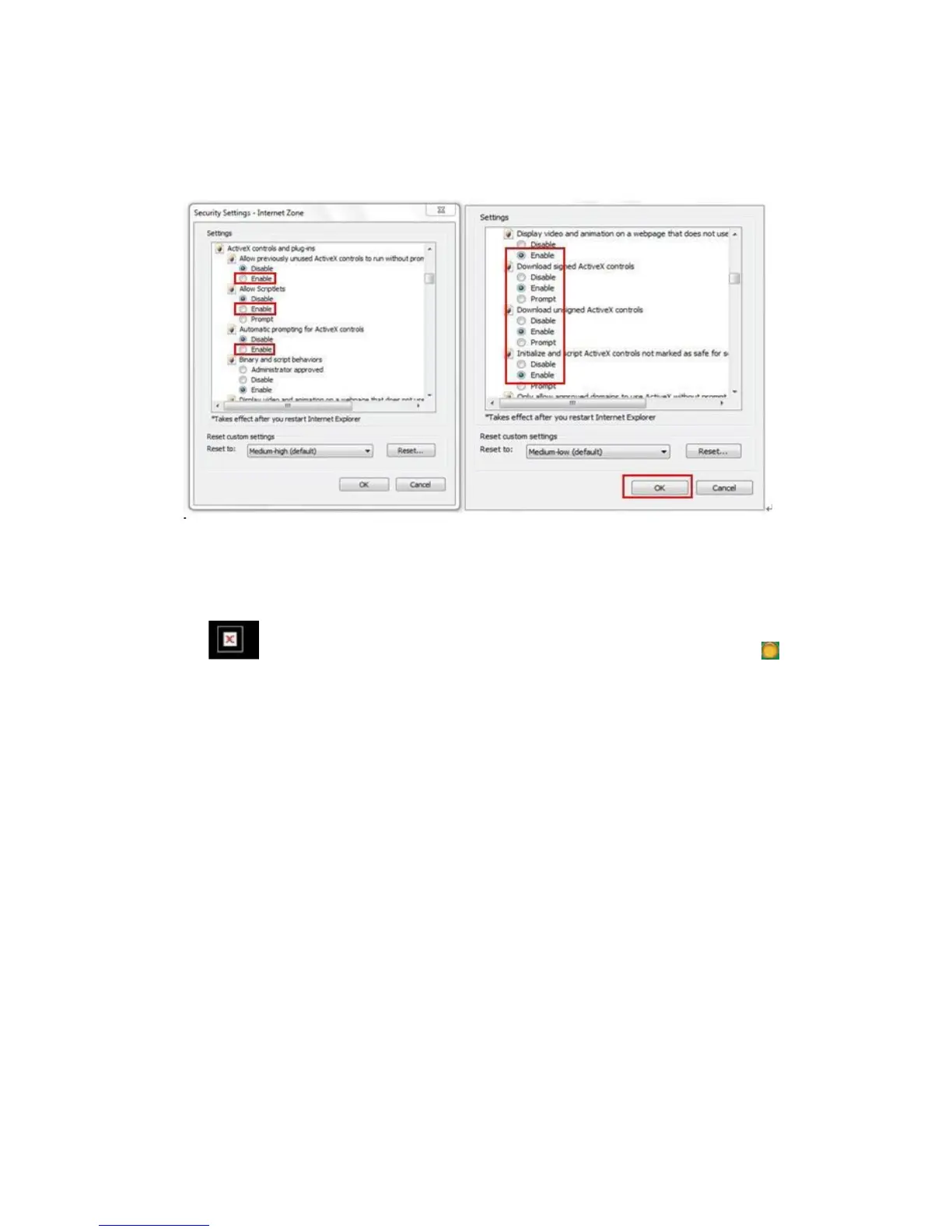
Figure 3.5
Figure 3.6
In Addition: you can also click “start” menu->“Internet Explorer”, choose “Internet attributes
“ to enter, or via “Control Panel” ->“Internet Explorer”, enter to Security setting.
3. If there is still no image, please close your anti-virus software, and then try step 1 & 2
again.
4. If you allowed the Active X running, But still could not see live video, Only a Red
Cross in the center of the video, And the device status light change to yellow color ,
not green please change another port number to try, Don’t use port 80, usd other port such
as99, 199 etc.


 To Next Page