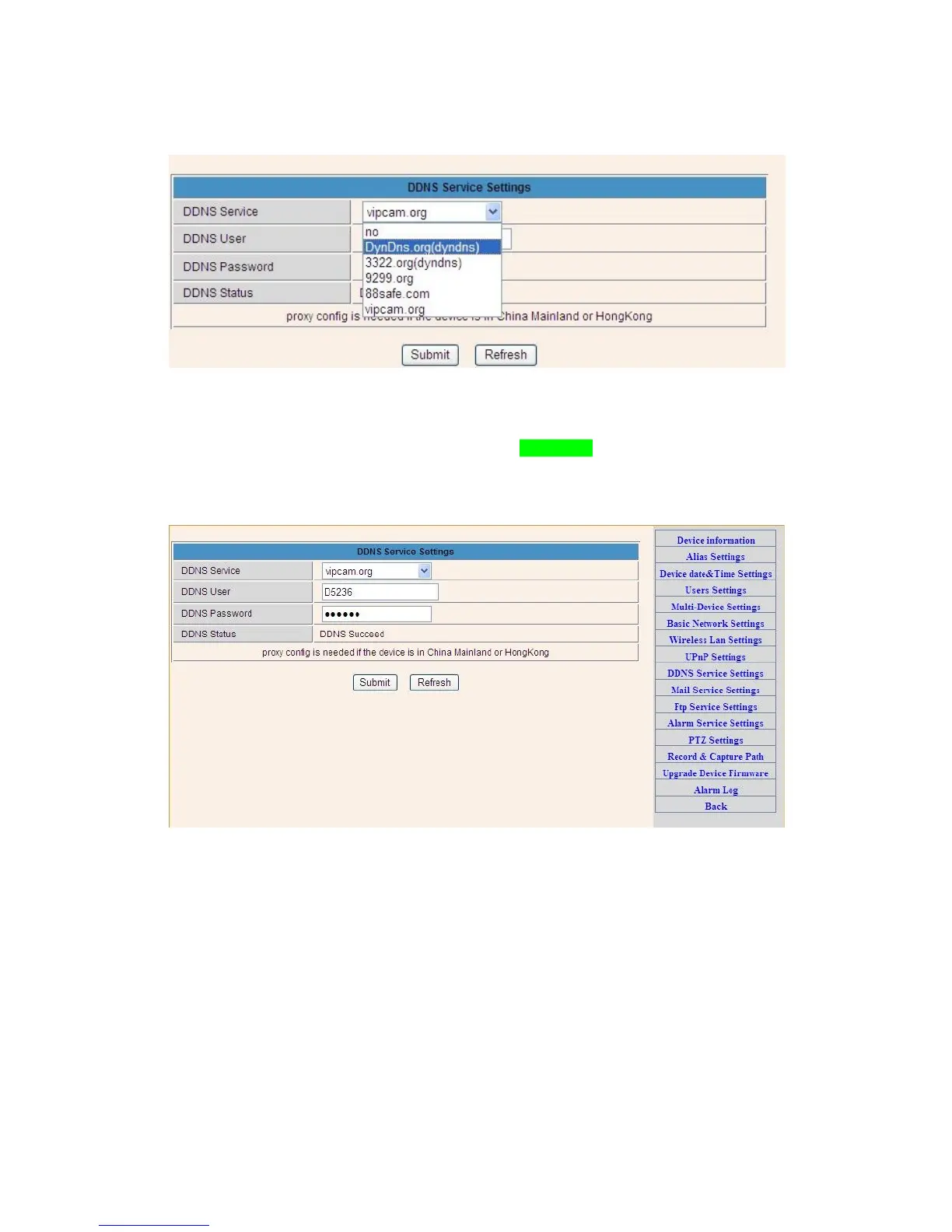
Figure 3.13
(2): Choose the DDNS, there are 4 kinds of options:
(1): Manufacturer’ DDNS: We provide a free DDNS: vipcam.org. This domain is provided by
manufacturer.
Note:If you find the DDNS Service blank and you want use the manufacturer’s free DDNS,
Please Choose “vipcam.org” and fill in the DDNS User and DDNS Password with which you
can find from a mark on the botton of your camera.
Figure 3.14
(2): The Third Party DDNS: This domain is provided by the 3rd party, such as Dyndns, Oray,
3322 If you use the third party DDNS, please choose the server you need, such as“3322.org”
or“ dyndns.org” as below:


 To Next Page