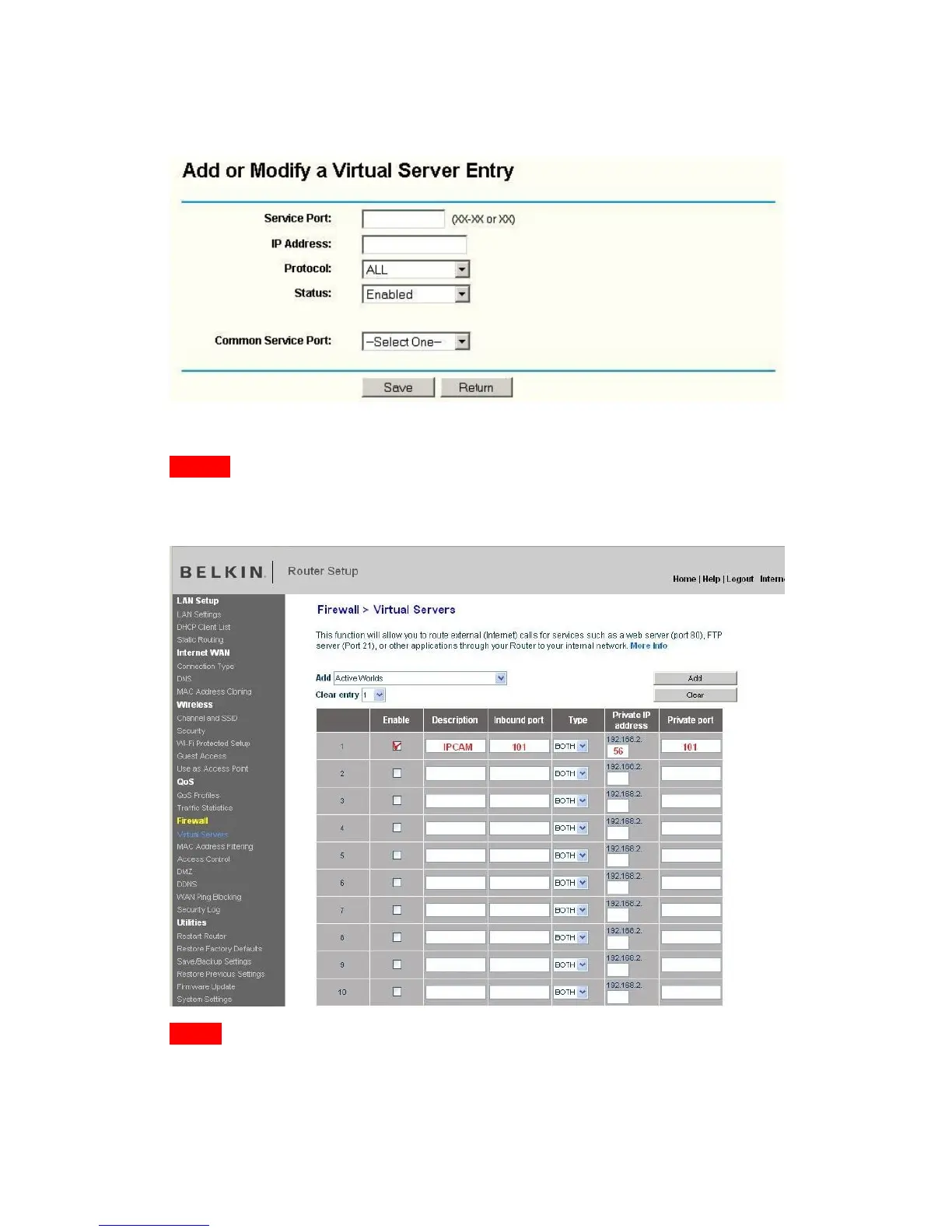
Fill the service port (except 80), IP address of the camera, then click Save
The port and IP address should be the same as Camera.
BELKIN:
(1) Login the router. Common address is http://192.168.1.1
(2) Choose “Firewall”, select “Virtual Servers”
(3) Input the port (except 80) and IP address, then click save.
Note: The port and IP address should be the same as Camera.
Figure 3.18
DLINK:
(1) Login the router.


 To Next Page