22/37
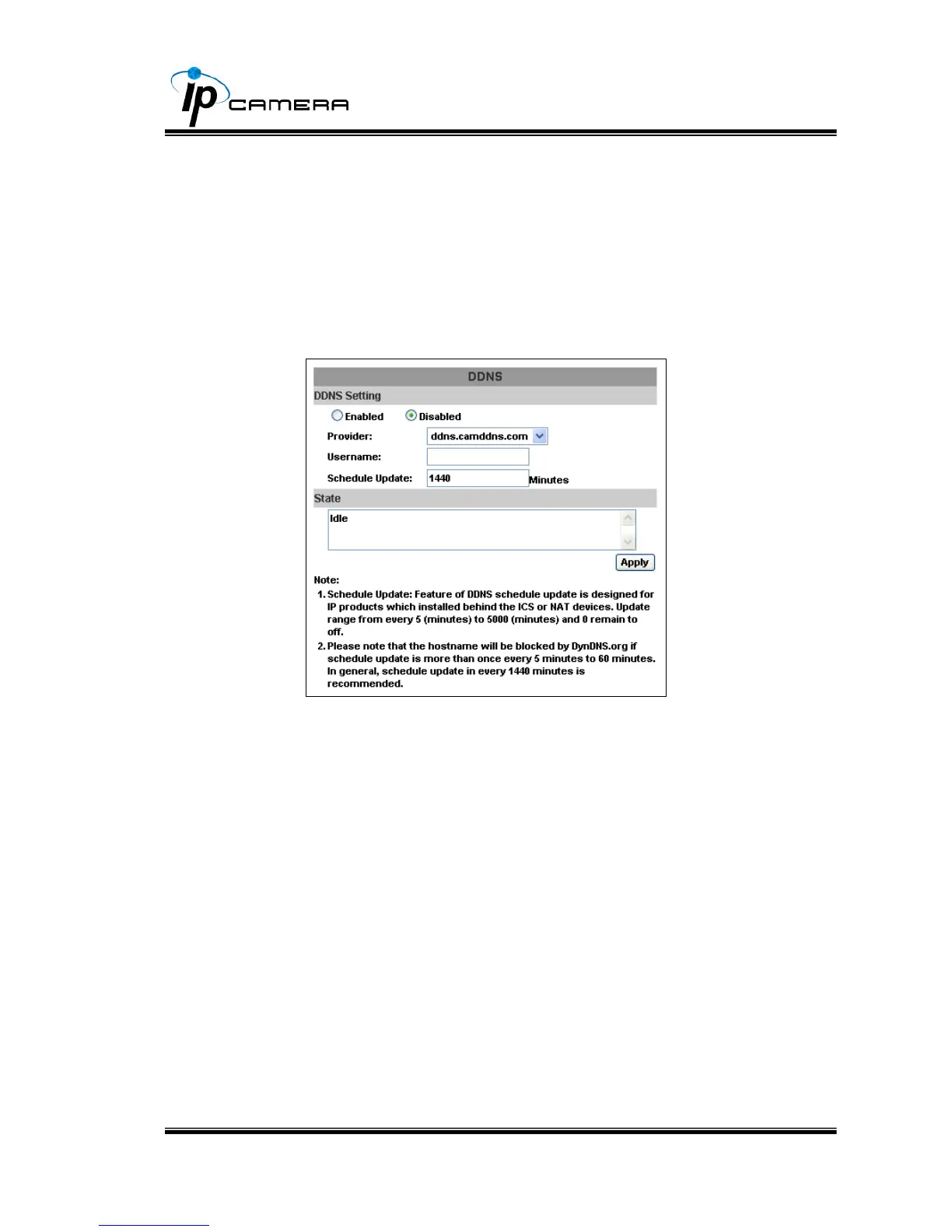
1. Enable this service
2. Key-in the DynDNS server name, user name, and password.
3. Set up the IP Schedule update refreshing rate.
4. Click “Apply”
5. If setting up IP schedule update too frequently, the IP may be
blocked. In general, schedule update every day (1440 minutes)
is recommended.
b. Camddns service:
1. Please enable this service
2. Key-in user name
3. IP Schedule update is default at 1440 minutes
4. Click “Apply”.
c. DDNS Status
1. Updating:Information update
2. Idle:Stop service
3. DDNS registration successful, can now log by
http://<username>.ddns.camddns.com:Register successfully.
4. Update Failed, the name is already registered:The user name
has already been used. Please change it.
5. Update Failed, please check your internet connection:Network
connection failed.
6. Update Failed, please check the account information you
provide:The server, user name, and password may be wrong



 To Next Page