23/37
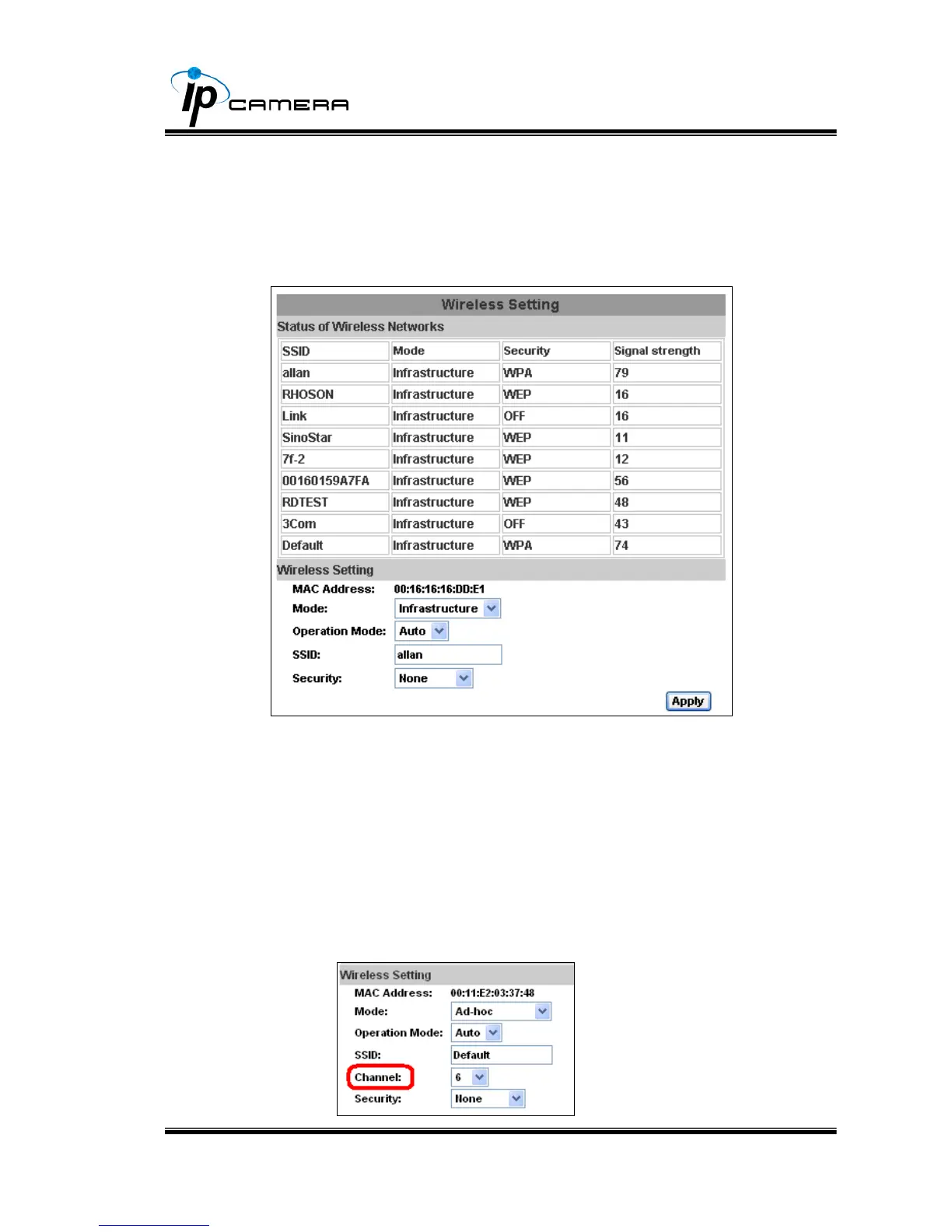
iv、 Wireless Setting (Wireless Network Optional)
Supports 802.11 b/g wireless connection.
Notice:Wireless network and Ethernet network use the same IP, the
user has to unplug Ethernet cable, if Ethernet cable is not unplug,
wireless setting can not be executed.
a. Status of Wireless Networks:
scan all wireless services.
b. Wireless Setting:
1. Mode:There are Infrastructure and Ad-hoc. Infrastructure is for
connecting with the router. Ad-hoc is for connecting with PC.
There is “Channel” to select only when user uses Ad-hoc
mode.
e.g. If one PC’s channel is 1, the other’s channel has to be 1,
too.



 To Next Page