37
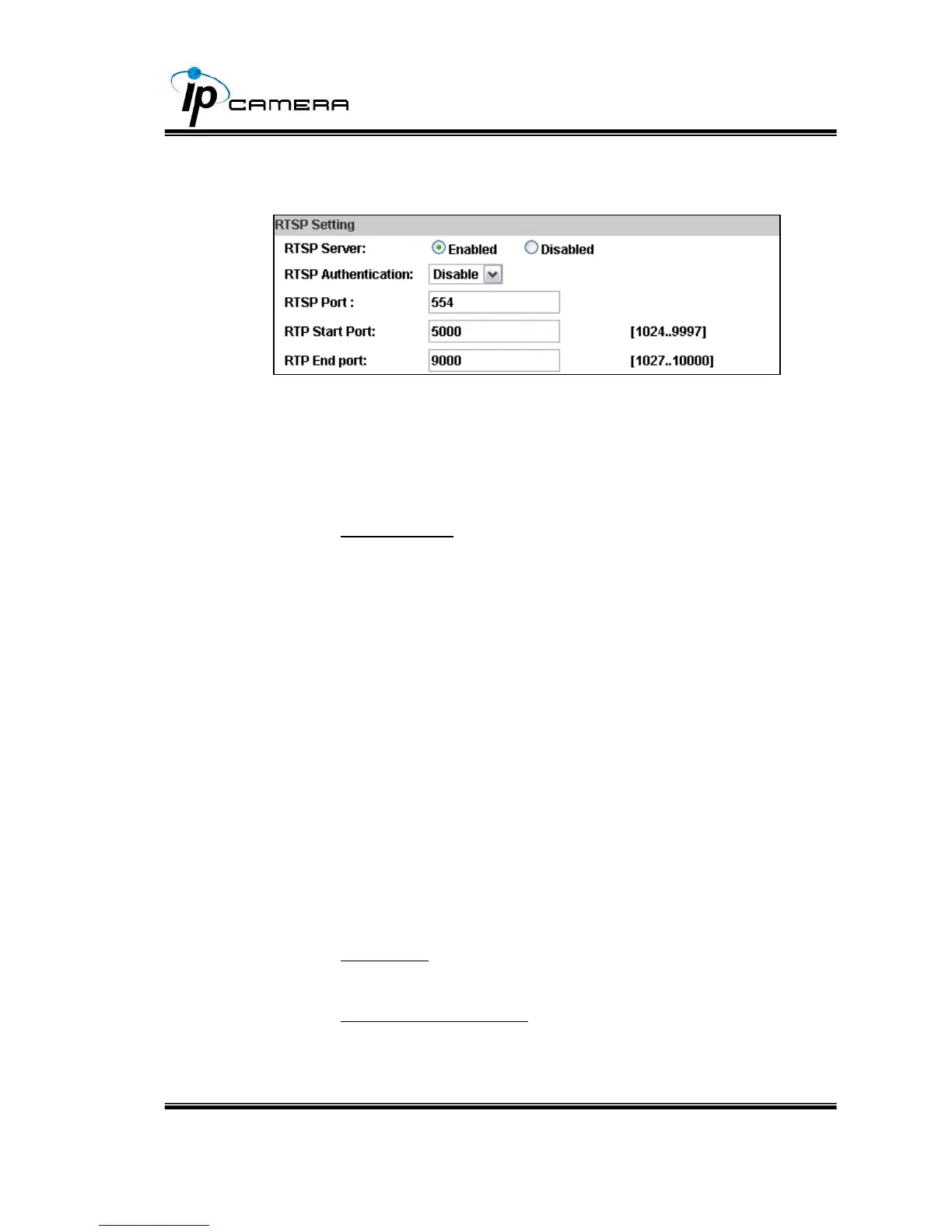
RTSP setting
If you have a media player that supports RTSP protocol, you can
use it to receive the video streaming from IP camera. The RTSP
address can be set for two streamings respectively. Please jump to
1. RTSP Server: enable or disable
"Disable" means everyone who knows your camera IP Address can
link to your camera via RTSP. No username and password are
required.
Under "Basic" and "Digest" authentication mode, the camera asks
the user to give username and password before allows access.
The password is transmitted as a clear text under basic mode,
which provides a lower level of security than under “digest” mode.
Make sure your media player supports the authentication schemes.
2. RTSP Port: setup port for RTSP transmitting (Default: 554)
3. RTP Start and End Port: in RTSP mode, you may use TCP and
UDP for connecting. TCP connection uses RTSP Port (554).
UDP connection uses RTP Start and End Port.



 To Next Page