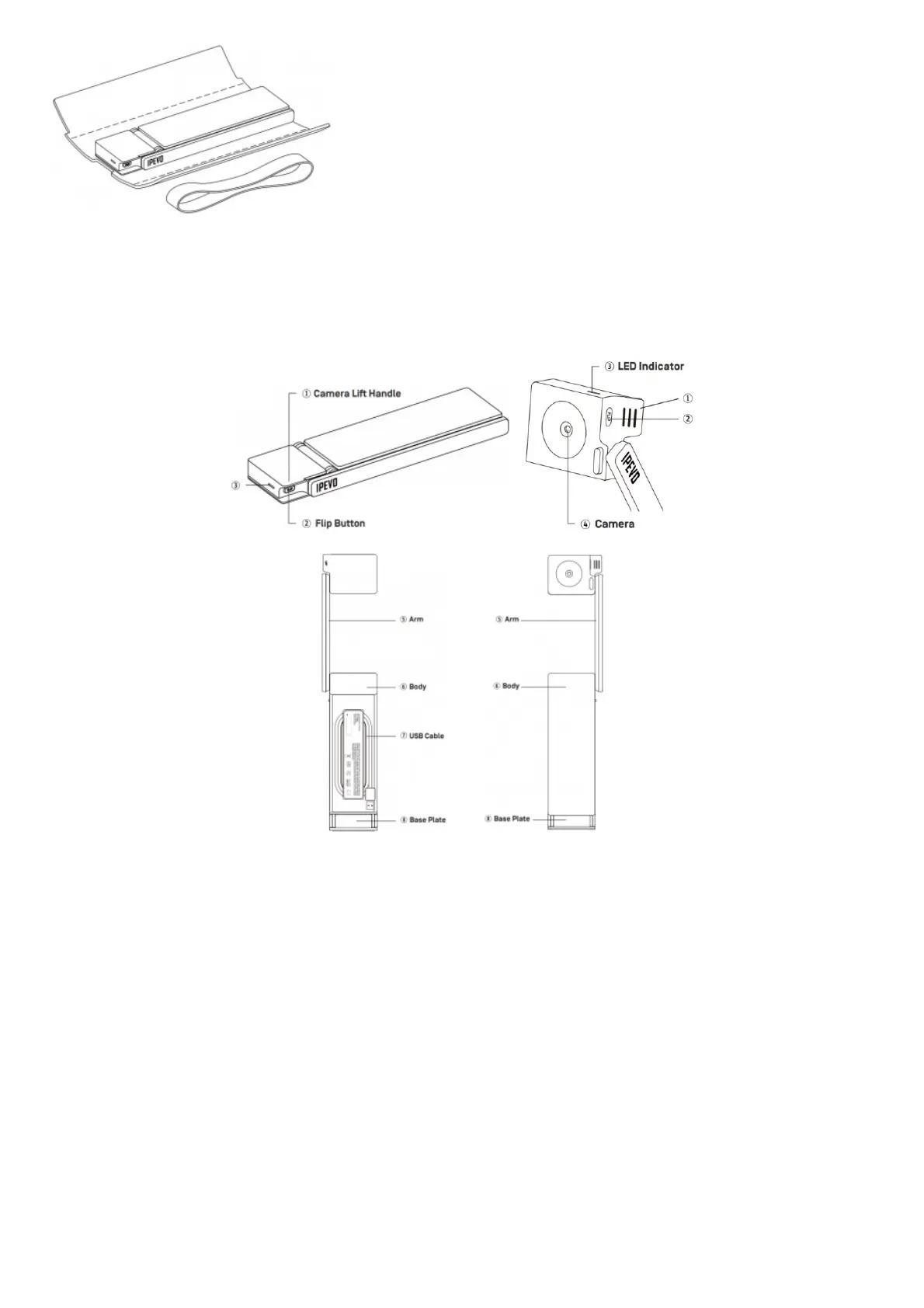
2. Remove the elastic band and padded cover.
*Please reuse the elastic band and padded cover for your DO-CAM. They keep your DO-CAM safe and compact for
carrying around.
Getting to Know Your DO-CAM
(1) Camera Lift Handle:
Use this to lift up the camera head.
(2) Flip Button:
Press this button to flip your image right-side-up.
(3) LED Indicator:
Lights up when DO-CAM is in use and providing images.
(4) Camera:
8 megapixel camera. The camera head can be turned upwards or downwards.
(5) Arm:
Adjust the arm to change the height and position for capturing your material.
(6) Body:
Houses the USB cable.
(7) USB Cable:
Unwind the USB cable and plug it into your computer’s USB port to use DO-CAM.



 To Next Page