(8) Base Plate:
Provides a stable base for your DO-CAM.
Setting Up and Connecting to a Computer
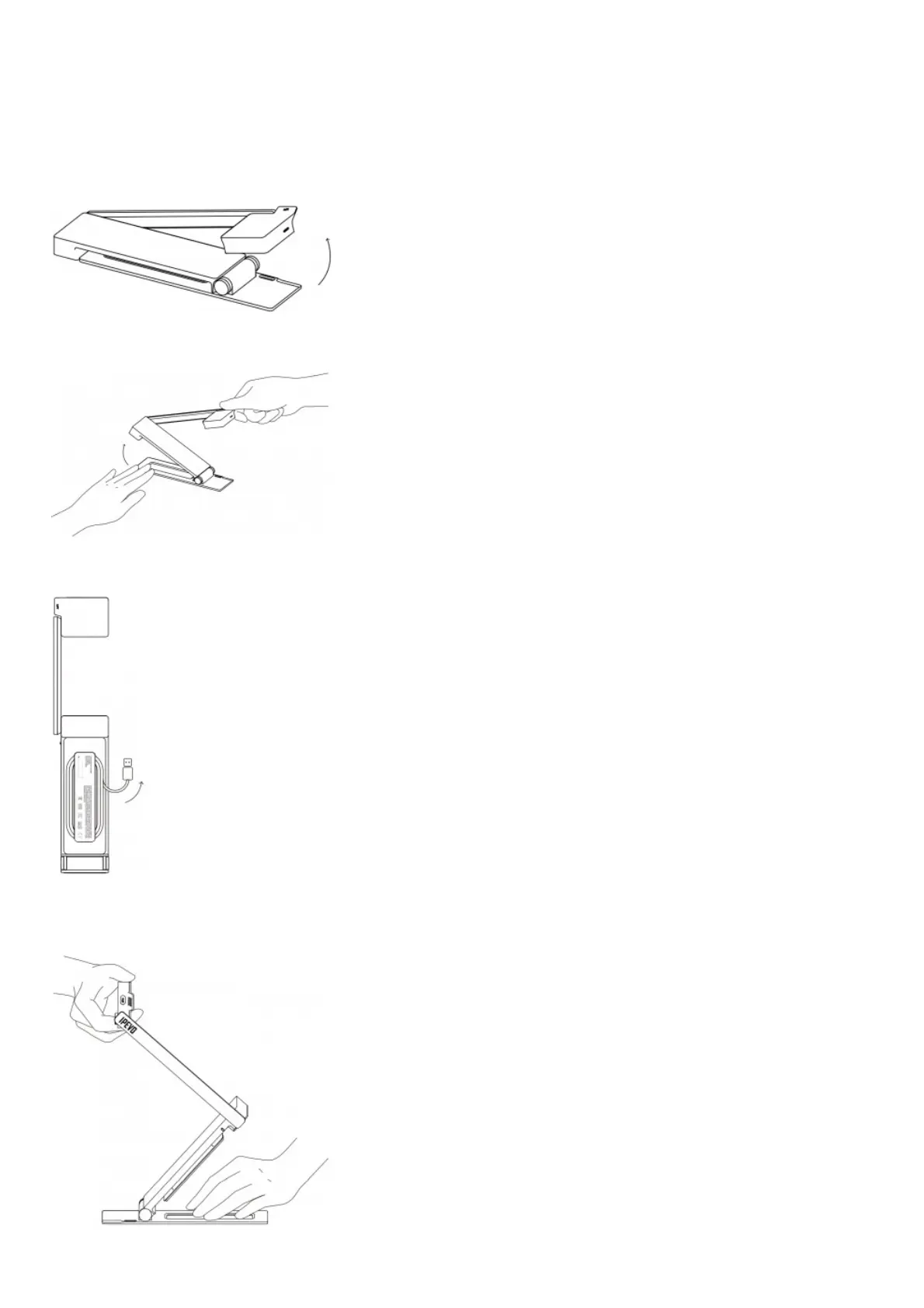
As with all IPEVO document cameras, DO-CAM features a plug and play design. You can set it up within a few
simple steps.
1. Start by lifting the camera head.
2. Press against the base plate of DO-CAM and pull it up.
3.Turn DO-CAM around. Unwind the USB cable and plug it into the USB port of your computer [Mac, PC, or
Chromebook].



 To Next Page