13/44
C. IP Assignment
i. Use the software, “IP Installer” to assign the IP address of IP CAMERA.
The software is in the attached software CD.
ii. IP installer supports two languages
a. IPInstallerCht.exe:Chinese version
b. IPInstallerEng.exe:English version
iii. There are 3 kinds of IP configuration.
a. Fixed IP (Public IP or Virtual IP)
b. DHCP (Dynamic IP)
c. Dial-up (PPPoE)
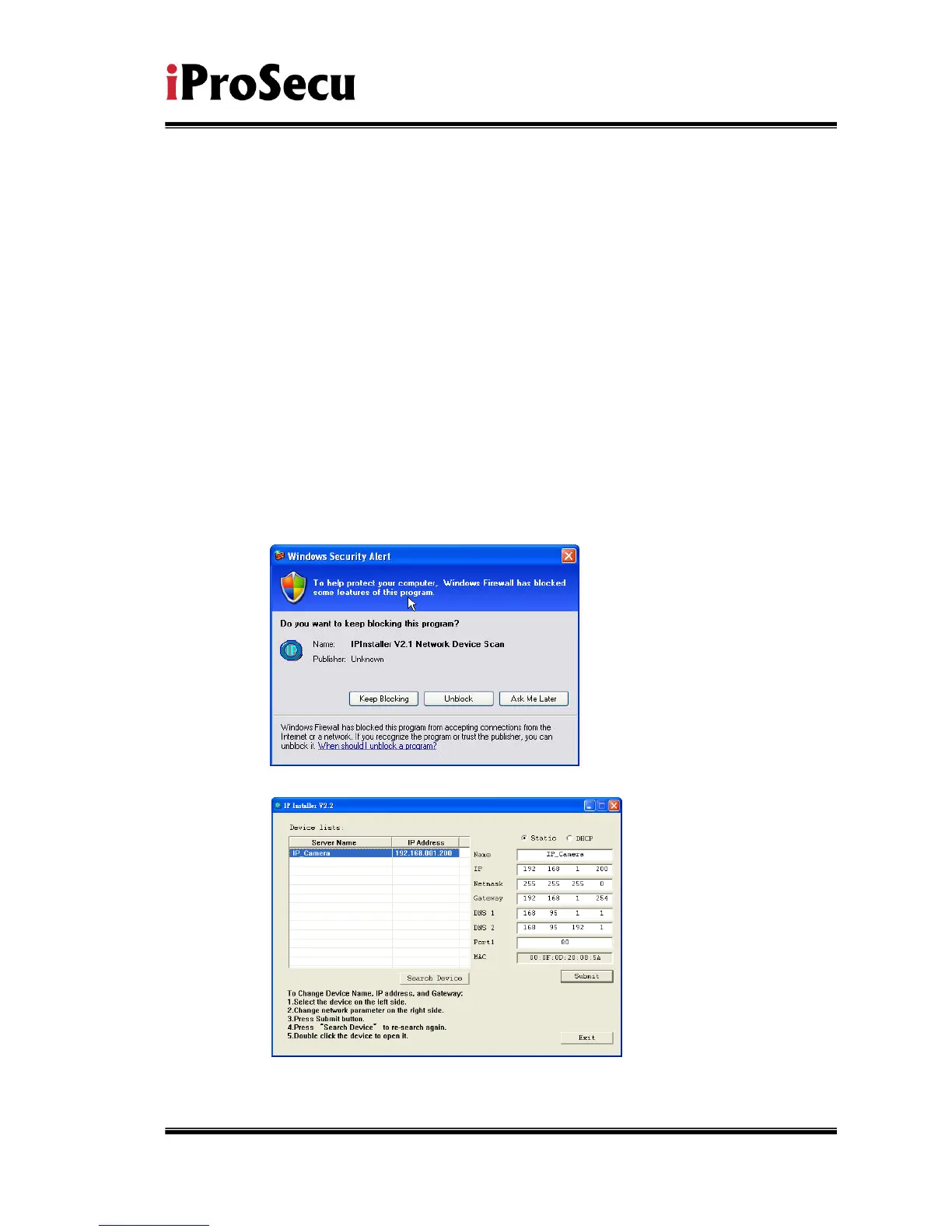
iv. Execute IP Installer
v. For Windows XP SP2 user, it may popup the following message box.
Please click “Unblock”.
vi. IP Installer configuration:
vii. IP Installer will search all IP Cameras connected on Lan. The user can
click “Search Device” to search again.



 To Next Page