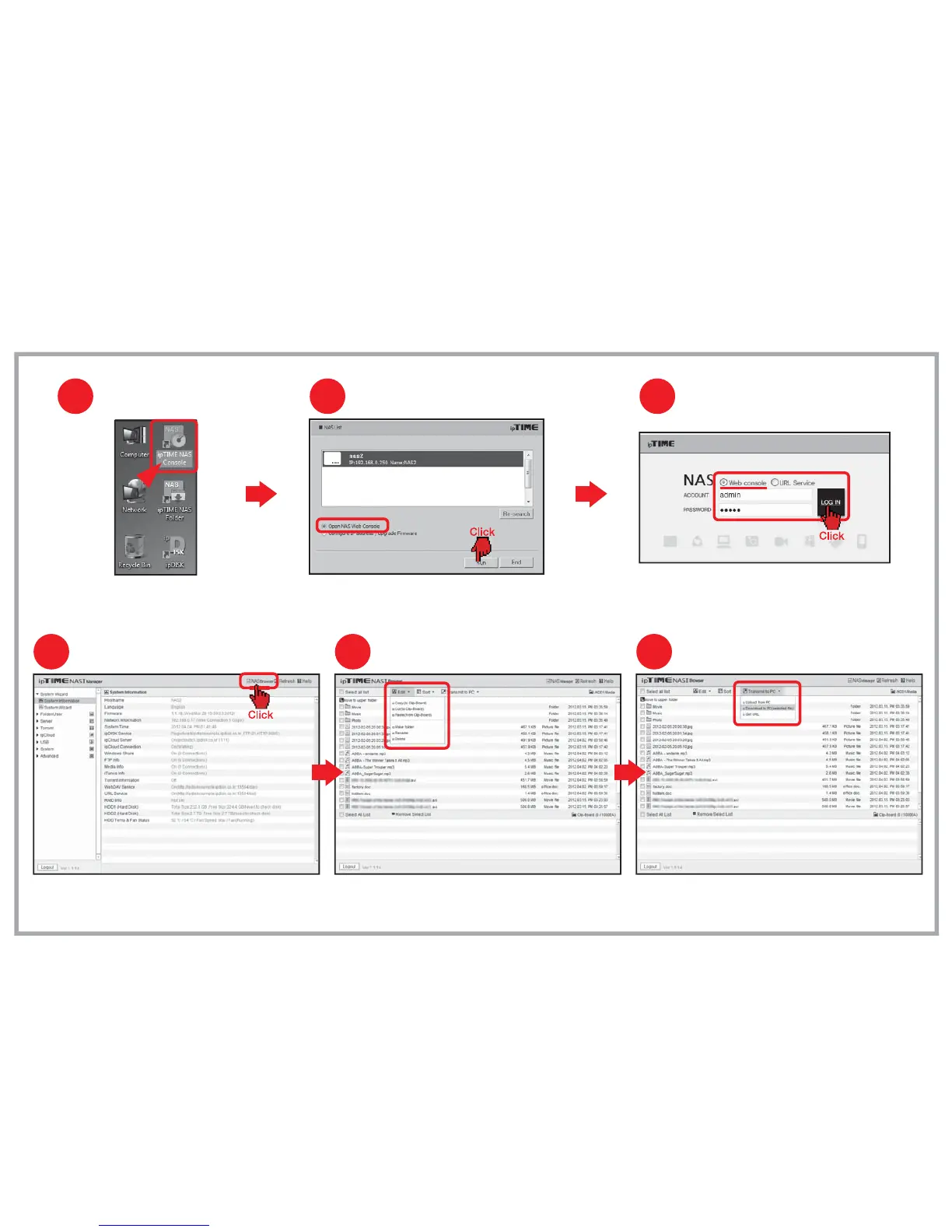
NAS Browser in Web Console (In local network)
Four.
[Notice] The file size is limited to 2GB when upload a file from PC.
PC transfer
65
Using NAS Browser
Changing to NAS Browser mode
4
Click [NAS Browser] to enter NAS browser mode.
Use top-down menu to edit or sort files and folders. Use the [File Transfer] menu to up/download files to/from PC.
Running ipTIME NAS Console
Double click the [ipTIME NAS Console] icon
in the desktop window.
1
Select the NAS from the searched list.
Choose [Open NAS Web Console] and click the [Run].
Opening NAS web console
2
Login
3
Choose Web console and enter the user account and password.
Click the [LOG IN] to start the web console.


 To Next Page