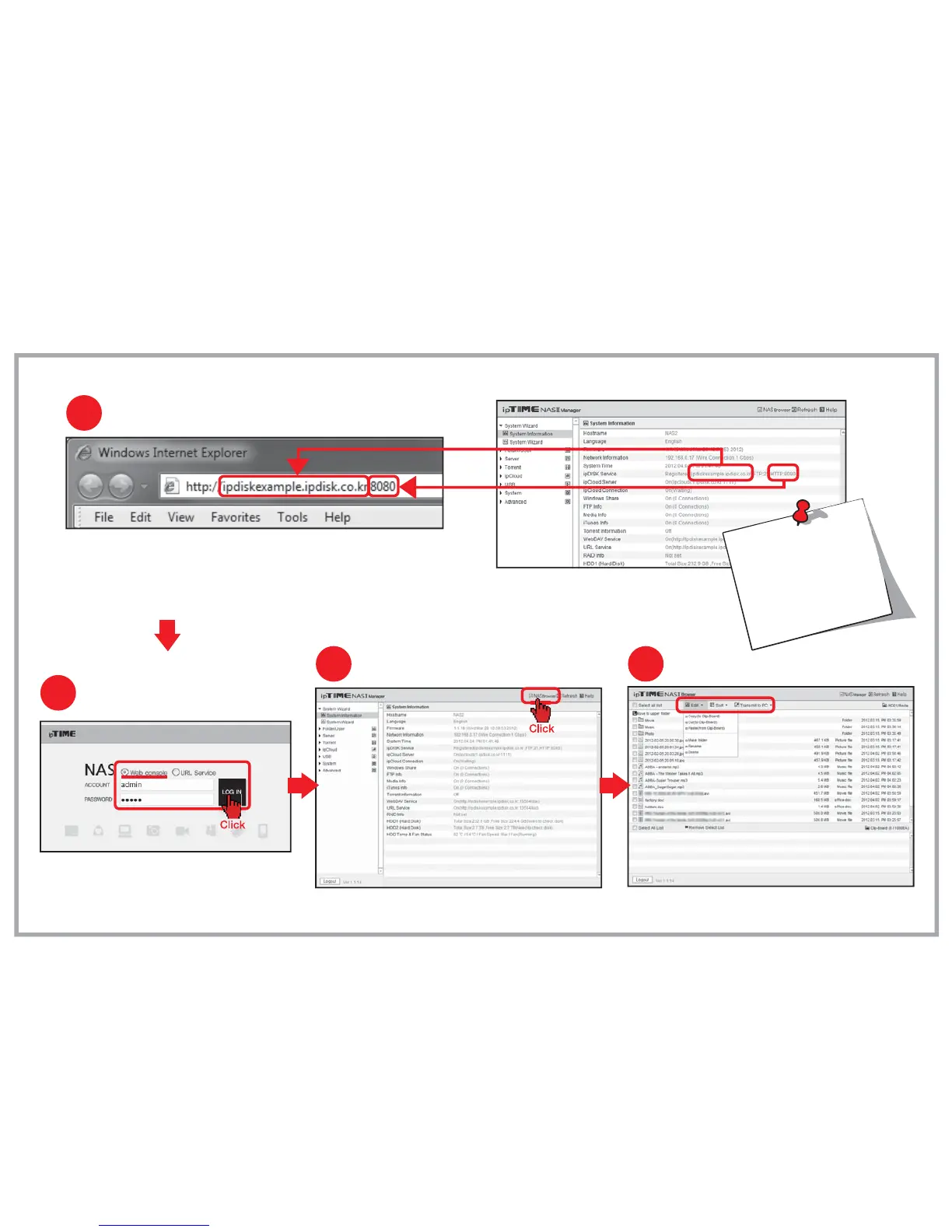
NAS Browser in Web Console (Through the internet)
Five.
[Notice] The file size is limited to 2GB when upload a file from PC.
Connecting Web Console via the internet
1
Using NAS Browser
4
Use top-down menu to edit or sort files and folders.
Enter the ipDISK service URL and HTTP port number
in the address field of internet browser as above.
ipDISK service URL can be found
in the [System Information] menu.
The HTTP port number can be
omitted when port number is 80.
Changing to NAS Browser mode
3
Click [NAS Browser] to enter NAS browser mode.
:
2
Login
Enter the user account and the password.
Click [LOG IN] to open the web console.


 To Next Page