Torrent management
Six.
A.
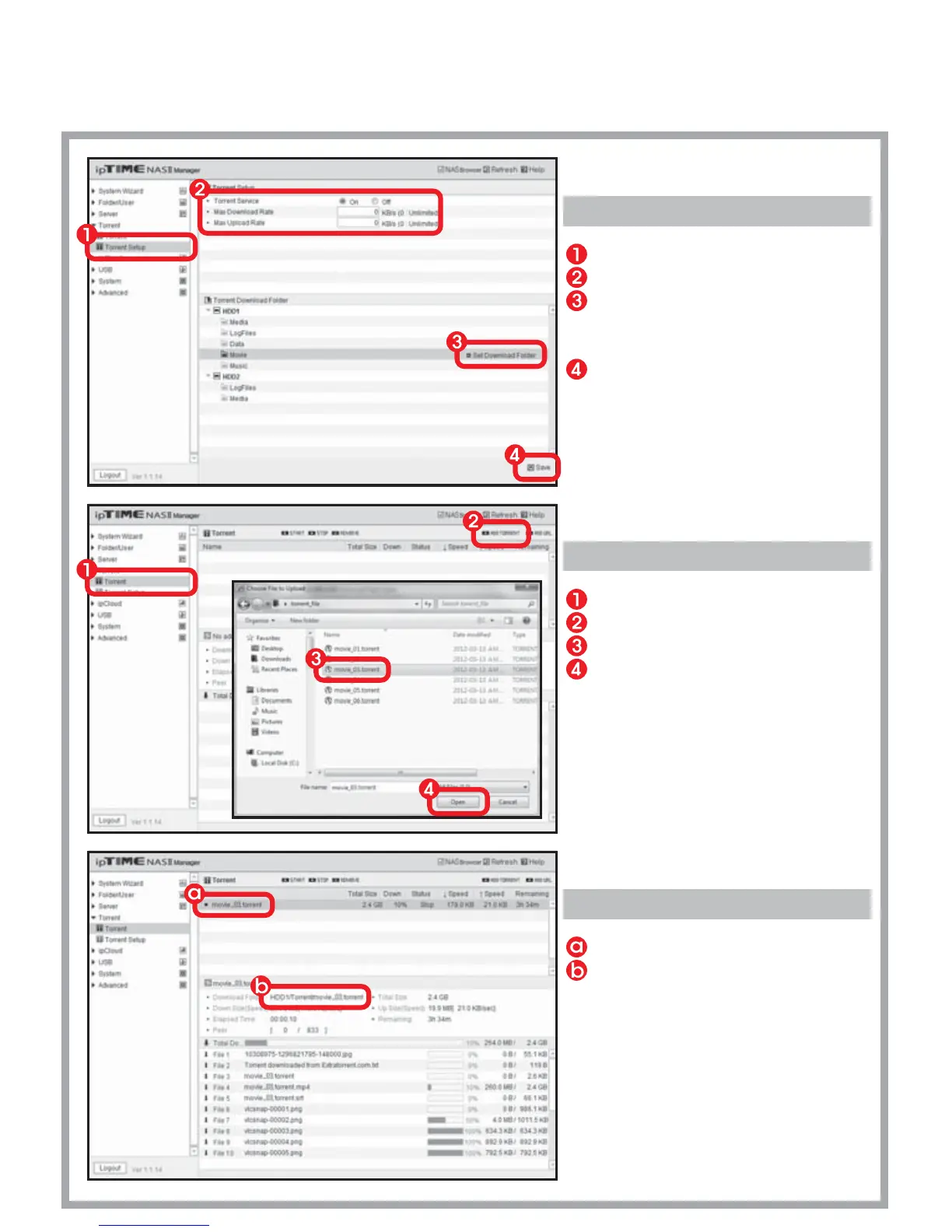
Setup Torrent
Select [Torrent] > [Torrent Setup] menu.
Turn on the Torrent service.
Select the folder where files
will be downloaded
and click [Set Download Folder].
Click [Save].
B.
Using Torrent
Select [Torrent] > [Torrent] menu.
Click [ADD TORRENT] icon.
Select the torrent file for download.
Click [Open] to begin the download.
C.
Viewing Status
The torrent file currently downloaded.
The download path.


 To Next Page