-30-
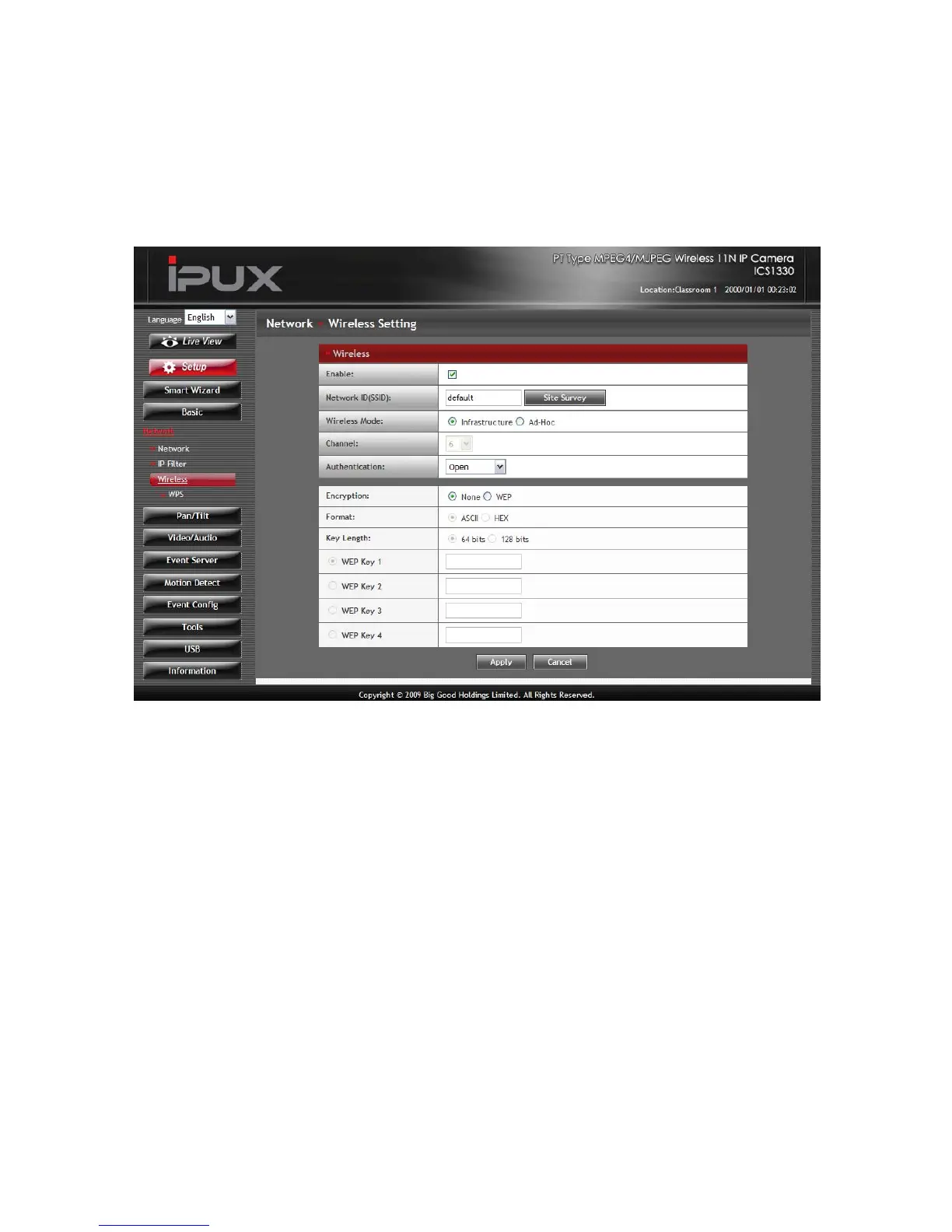
Network >> Wireless Setting
The camera supports WLAN while you use the wireless network.
Select the Enable option to enable this feature.
- Network ID (SSID}: Keep the default setting of this option to
connect the camera to any access point under the
infrastructure network mode. To connect the camera to a
specified access point, set a SSID for the camera to
correspond with the access point’s ESS-ID. To connect the
camera to an
Ad-Hoc wireless workgroup, set the same wireless channel
and SSID to match with the computer’s configuration.
Click Site Survey to display the available wireless networks,
so that you can easily connect to one of the listed wireless
networks.



 To Next Page