InfiRay Outdoor • MATE Series • User Manual www.infirayouordoor.com
All rights reserved and shall not be copied and distributed in any form without written permission
mode) / Brightness / Scene mode / Sharpness level.
Power Off: long press Power (10) button for 3s to power off the MATE.
Standby Mode: Press the Power (10) button briefly to standby the
device for power saving. And press the Power (10) button again to
wake it up.
10 Zeroing (only for Attachment mode)
When MATE is installed on the day scope as an infrared extension
component, if the reticle of the day scope is not in the center of the infrared
image, the image zeroing function can be used to shift the infrared image to
ensure the position consistency between the day scope image and the
infrared image.
Please finish the calibration of the day scope before mounting MATE.
Install MATE on the day scope referring to the Installation section.
Then aiming at the target at 100 meters and shoot. Measure the
horizontal distance and vertical distance between the bullet hitting point
and the aiming point afterwards.
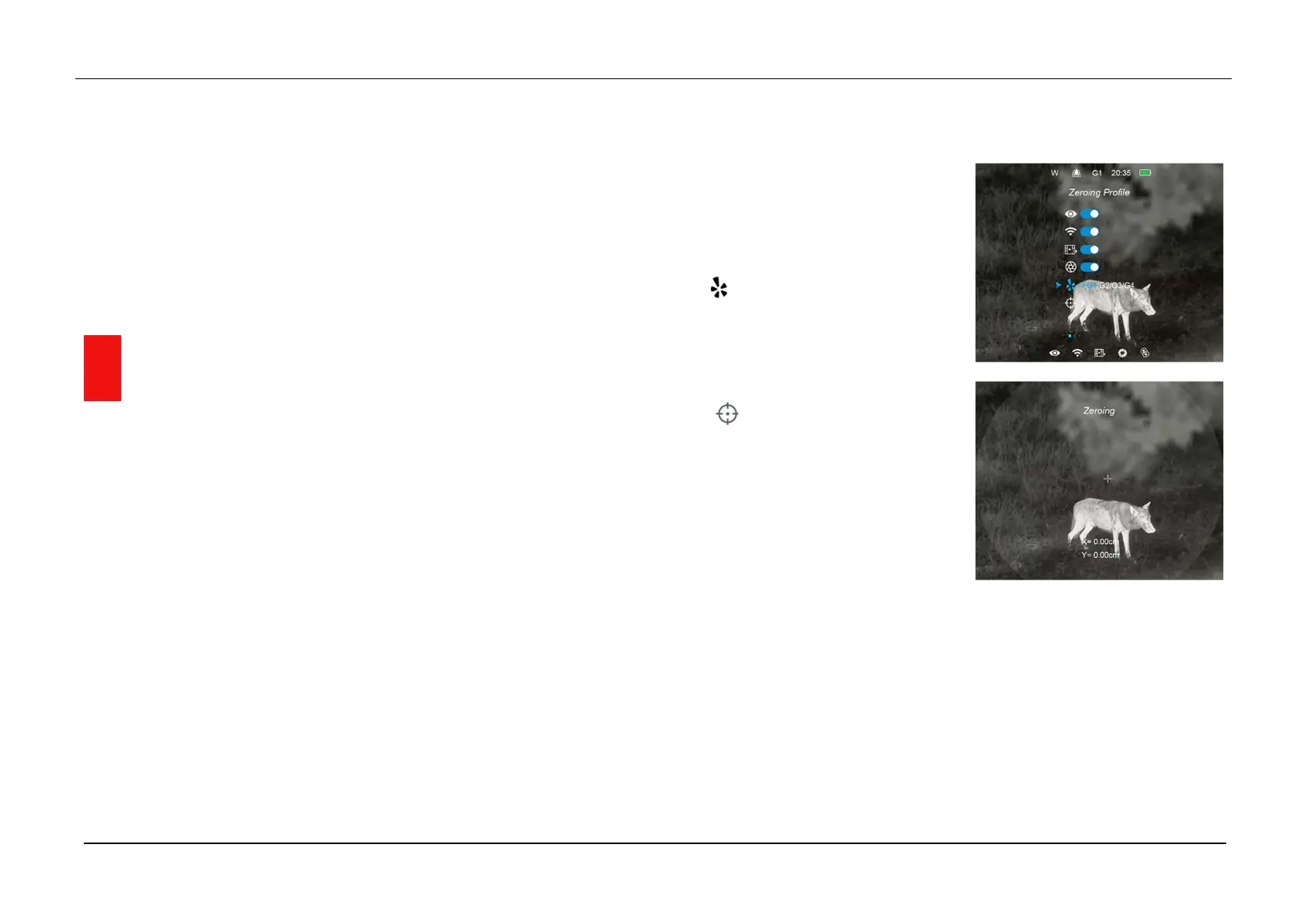
In the home screen, press and hold down Menu (4) button to enter the
Main Menu interface.
Press the Up (6) / Down (3) button
to select the Zeroing Profile option
( ) and select a zeroing profile with
a short press of the Menu (4) button.
Then select the Zeroing option
( ) and short press the Menu (4)
button to enter the Zeroing interface.
In the zeroing interface, short or long
press the Up / Down / Camera /
Menu button to move the position of
infrared image until the target on the infrared image is consistency with
the reticle center of the day scope.
When the zeroing is done, long press Menu (4) + Camera (5) buttons to
save and exit the zeroing interface, or hold down Up (6) + Down (3)
buttons for 3s to save and set the coordinate of the zeroing position as
(0,0) and exit to the home screen.


 To Next Page
 Loading...



