Using the Device
11
User Guide
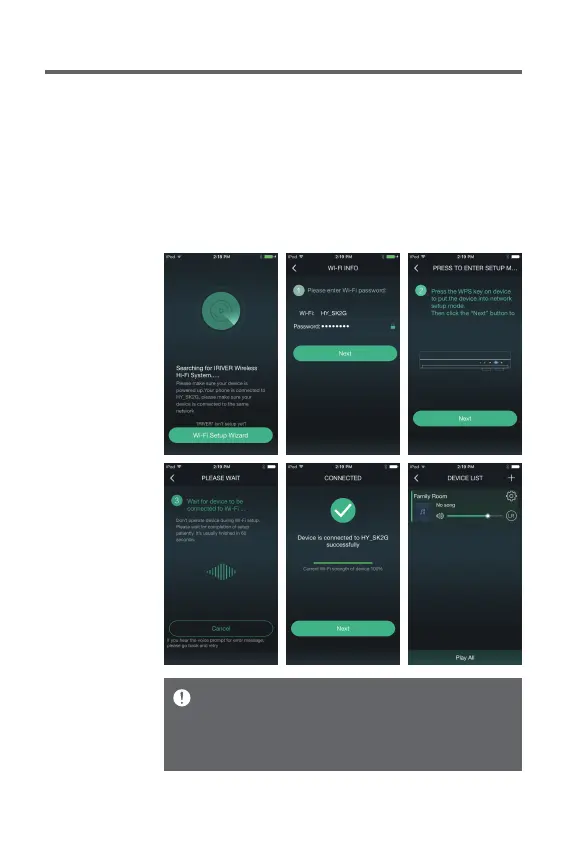
3. Enter a password and press [Next].
4. Press [PAIR·WPS·SCAN] on the upper side of the device,
and press [Next] on the device.
5. Once Wi-Fi network has been connected, you will see a
message [Device is connected to 00000 successfully]
on your device.
6.
Once you press [Next], IRIVER Live Stream will be executed.
Connection time may take longer depending on Wi-Fi network.
For detailed instructions on how to use IRIVER Live
Stream, please refer to the [IRIVER Live Stream] manual.
You can download the IRIVER Live Stream manual book
from [http://www.iriver.com – SUPPORT – DOWNLOAD].


 To Next Page