LS150_xxxxxx
iriver intro
iriver intro
Using the Device
13
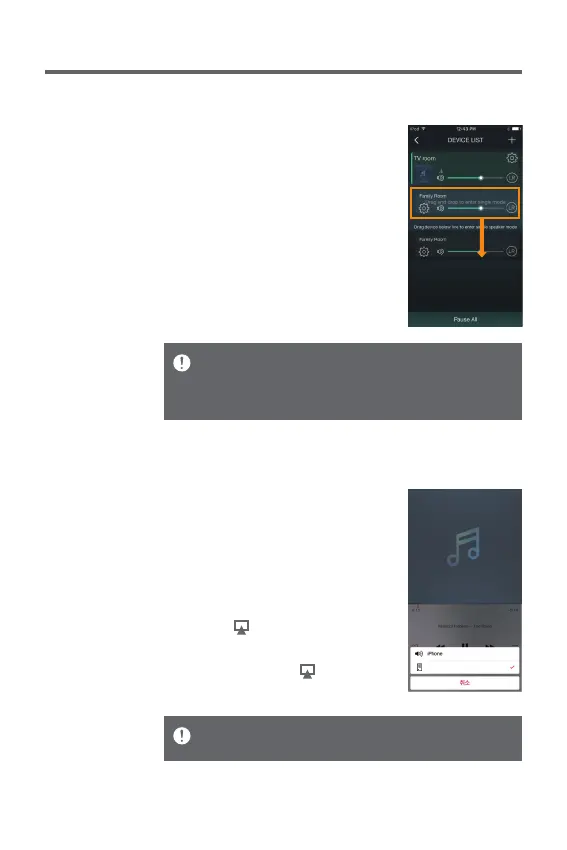
Connecting AirPlay
1. Select [WI-Fi] by turning the
[Power/Menu] knob of the device
and connect to the Wi-Fi network.
2. On the screen of music players
connected to the same network
such as iPhone/iPod Touch/iPad,
an icon [ ] will appear.
3. Once you select [LS150_xxxxxx]
after pressing the [ ] icon, you
can replay music through the LS150.
You can also connect AirPlay when the speaker is paired
through Bluetooth with iPhone/iPod Touch/iPad.
User Guide
Lifting Multi-room functionality
1. You can lift the Multi-room feature
if you move to an empty space on
the screen while pressing the
Multi-room-enabled device.
Performance can be limited depending on wireless network
and device environment.
The multi-room functionality can support sound signals
below 16 bits/48 Khz only.


 To Next Page