18
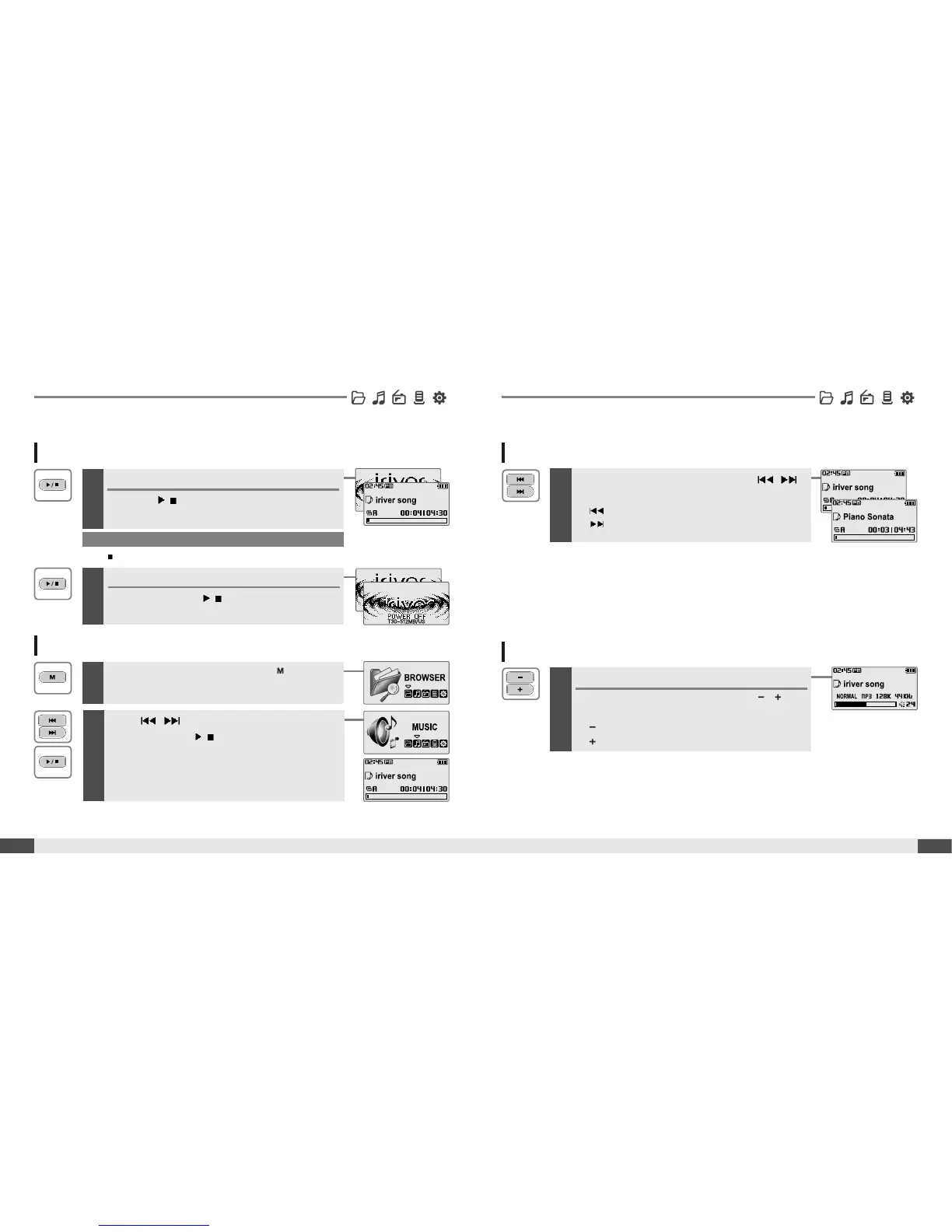
Adjusting the volume
1
Basic Usage
Quick start
Turning on/off the player
1
Note
If the player does not power ON, please replace your battery.
17
Quick start
Adjusting the volume
During the music file playback, press ,
button to adjust volume level.
: Decrease volume level.
: Increase volume level.
Turning on the player
Press the
/
button to turn on the player.
Previous function mode will be displayed.
Basic Usage
2
Turning off the player
Press and hold the
/
button.
Turns off the player.
Playing a music file
1
When powered on, press and hold button to
display the function mode screen.
2
Press , button to choose the [MUSIC]
mode then press
/
button.
Previous music file will resume playback.
Selecting a music file
1
During the music file playback, press ,
button to choose the desired music file.
: to select previous music file
:toselectnextmusicfile



 To Next Page