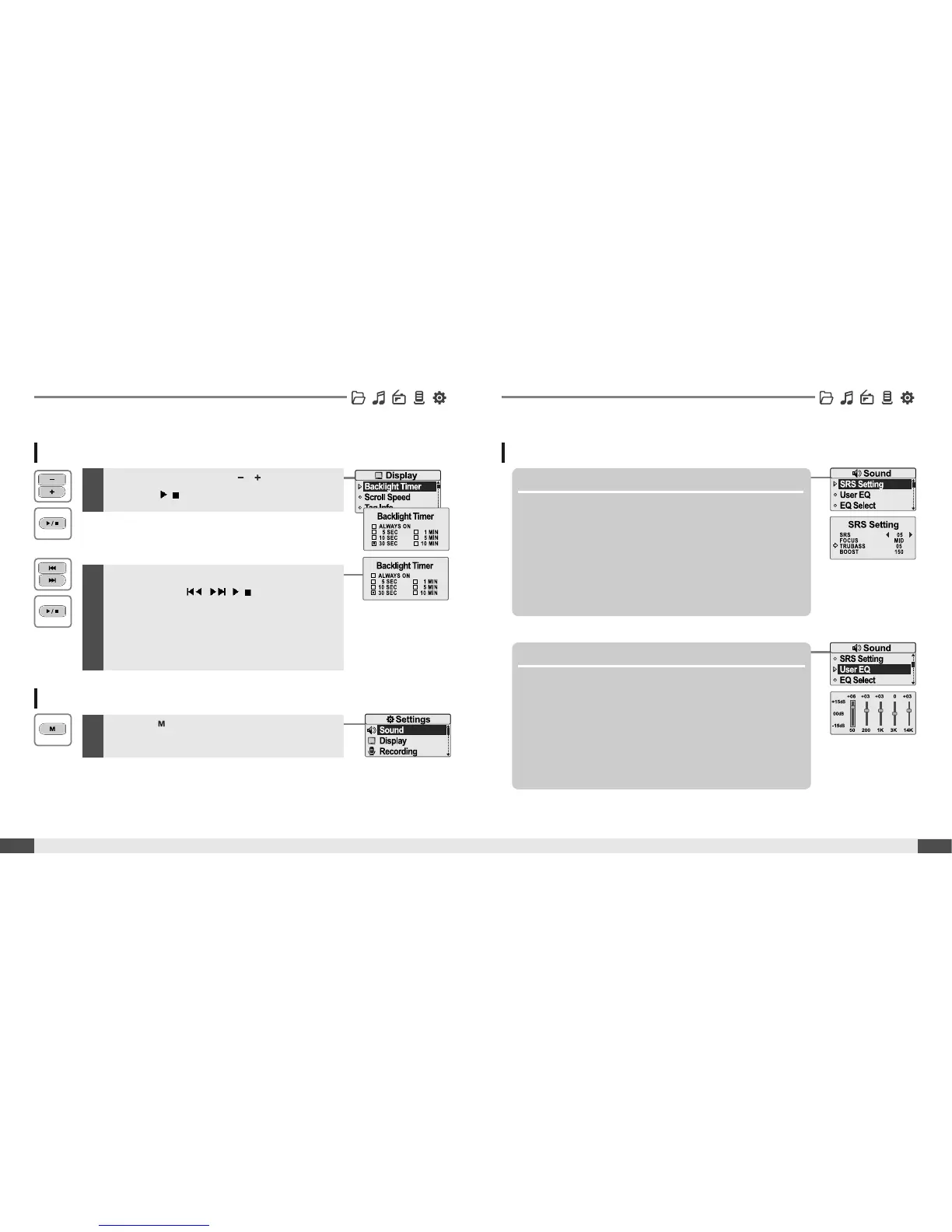
Select sub-menu using by , button, then
press the
/
button to enter sub-menu setting
screen.
46
Customizing the function settings (Menu)
Useful features
Set the menu functions
1
Menu operation
45
Useful features
3
You can set, cancel or change sub menu setting
by pressing the
, ,
/
button .
Exit sub menu
1
Pressthe buttontoexitsubmenu.
Sound
1. SRS Setting
Sets the 3D sound effect. SRS, FOCUS, TruBass, and
Boost are available.
SRS : Adjust the SRS value.
FOCUS : Adjust the sound resolution value.
TRUBASS : Adjust the TruBass value.
BOOST : Adjust the sound boost value.
Use proper boost value depends on t he earphones or
headphone characteristics.
2. User EQ
You can adjust the sound to your preference.
There are 5 band frequency steps, set from <-15dB> ~ <+15dB>
by 1dB increments.



 To Next Page