32
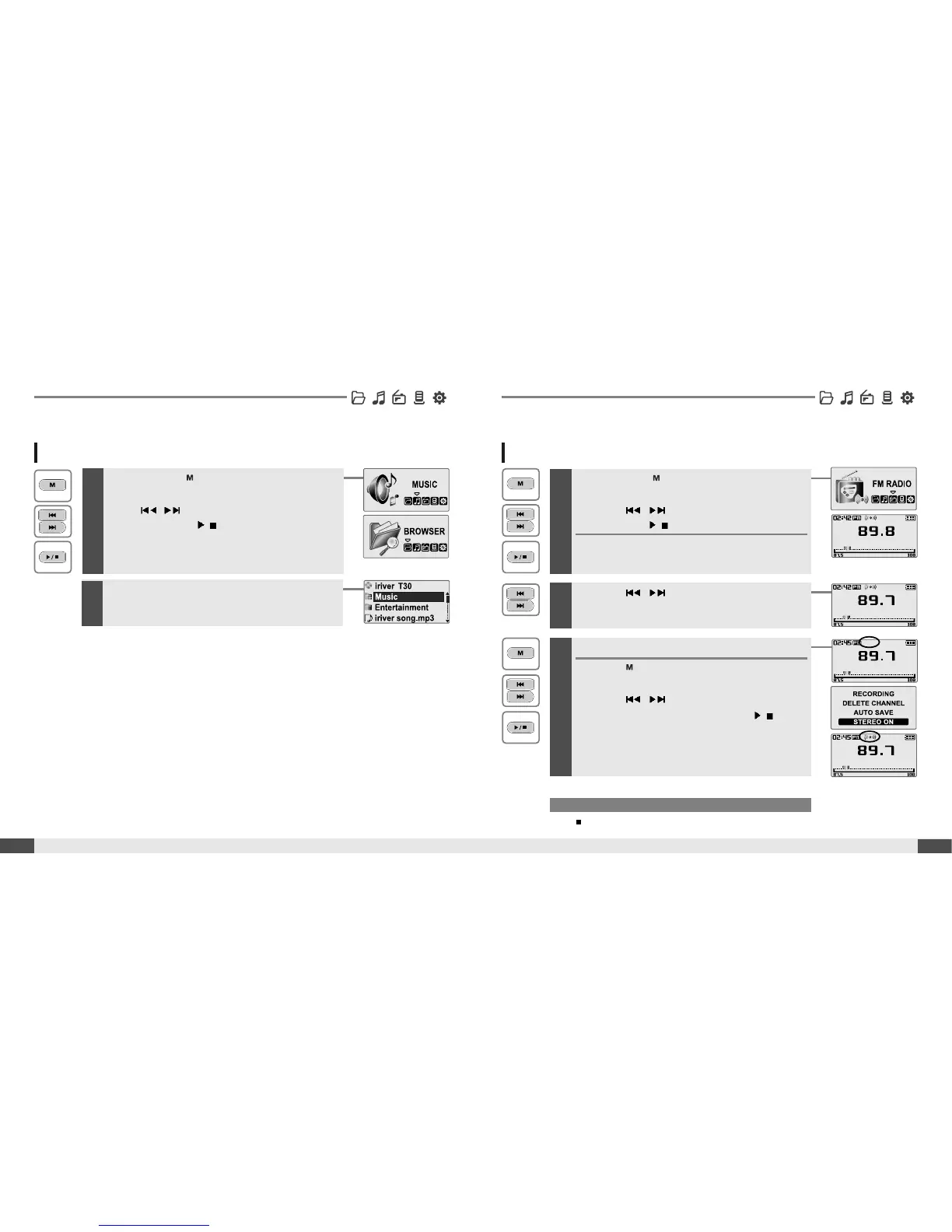
BROWSER
1
Press and hold button to display the
function mode Screen.
Press
, button to select [BROWSER]
mode, then press
/
buttontoenter.
*FMRADIO
Basic operation
BROWSER
31
Basic operation
2
File list screen is displayed on the LCD screen.
1
Press and hold button to display the function
mode Screen.
Press the
, button to select [FM RADIO],
then press the
/
button to confirm.
The previous station is displayed.
Listening to FM radio
Note
In areas where the signal is weak, some channels may be unavailable,
or reception may be poor.
2
Press the , button to select your desired
station.
3
To change STEREO/MONO
Press the button to display FM Radio
function Slection screen.
Press the
, button to select [STEREO
ON or STEREO OFF], then press the
/
button
to confirm.
The station is changed to stereo or mono.
* Only for models including FM Radio function


 To Next Page