EN
14 For Customer Care go to irobot.com/support
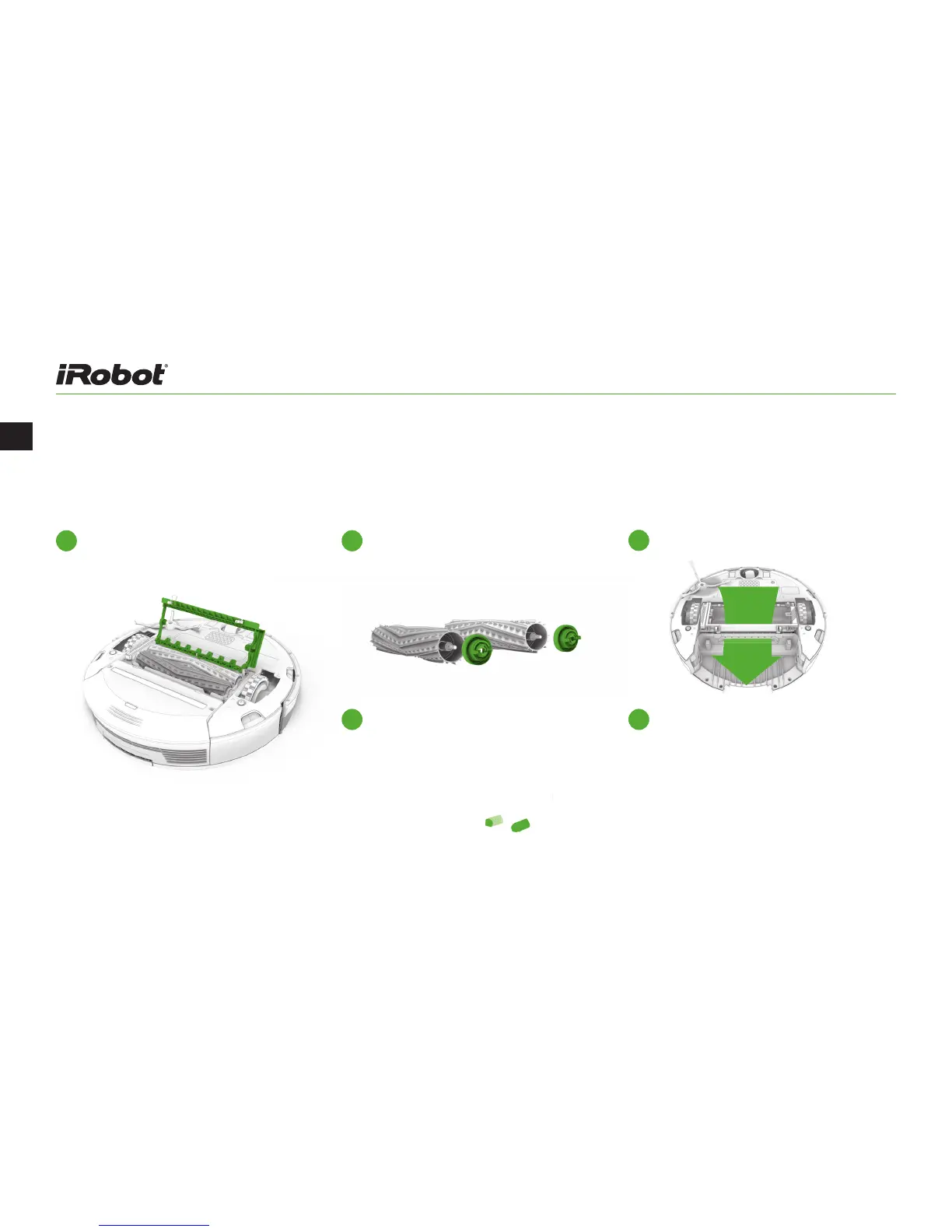
Cleaning the Extractors:
Pinch the yellow extractor frame release
tabs, lift up the extractor frame and
remove any obstructions.
1
Remove the extractors and remove the
yellow extractor caps. Remove any hair
or debris that has collected underneath
the caps and around the metal axles.
2
Clear Roomba’s Vacuum Path.
4
Reinstall the extractors. Match the color
and shape of the extractor pegs with the
color and shape of the extractor icons on
the cleaning head module.
5
Remove hair and debris from the square
and hexagonal plastic pegs on the other
side of the extractors. Reinstall
the extractor caps.
3



 To Next Page