ENG
48
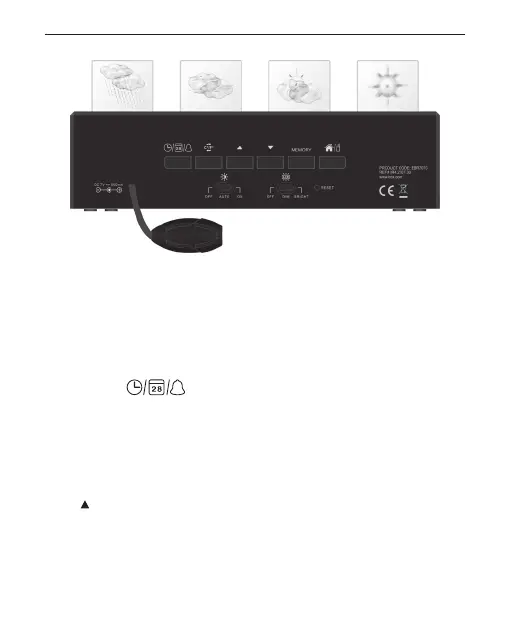
DESCRIPTION OF BUTTONS
1. [Light & Snooze]
(a) Press to turn ON the LCD backlight and illumination.
(b) Press to activate the snooze function when the alarm sounds.
(Snooze cycle is 5 minutes)
2. [ CLOCK
]
Press once to toggle for clock, calendar & alarm display mode.
Press and hold 2 seconds to enter the setting of the display mode –
Clock/Calendar/Alarm
In Alarm mode (when Alarm icon blinks), press and hold for 2 seconds to
enter Alarm1 or Alarm2 setting mode.
In setting mode, press to conrm the settings
3. [ ]
Press once to increase the setting in clock, calendar or alarm setting
mode


 To Next Page