HOURS
MINUTES
Clock Setting the time
CLOCK
SEL
ECT
)
SELECT
) ( SEL
ECT
) ( CLOCK }
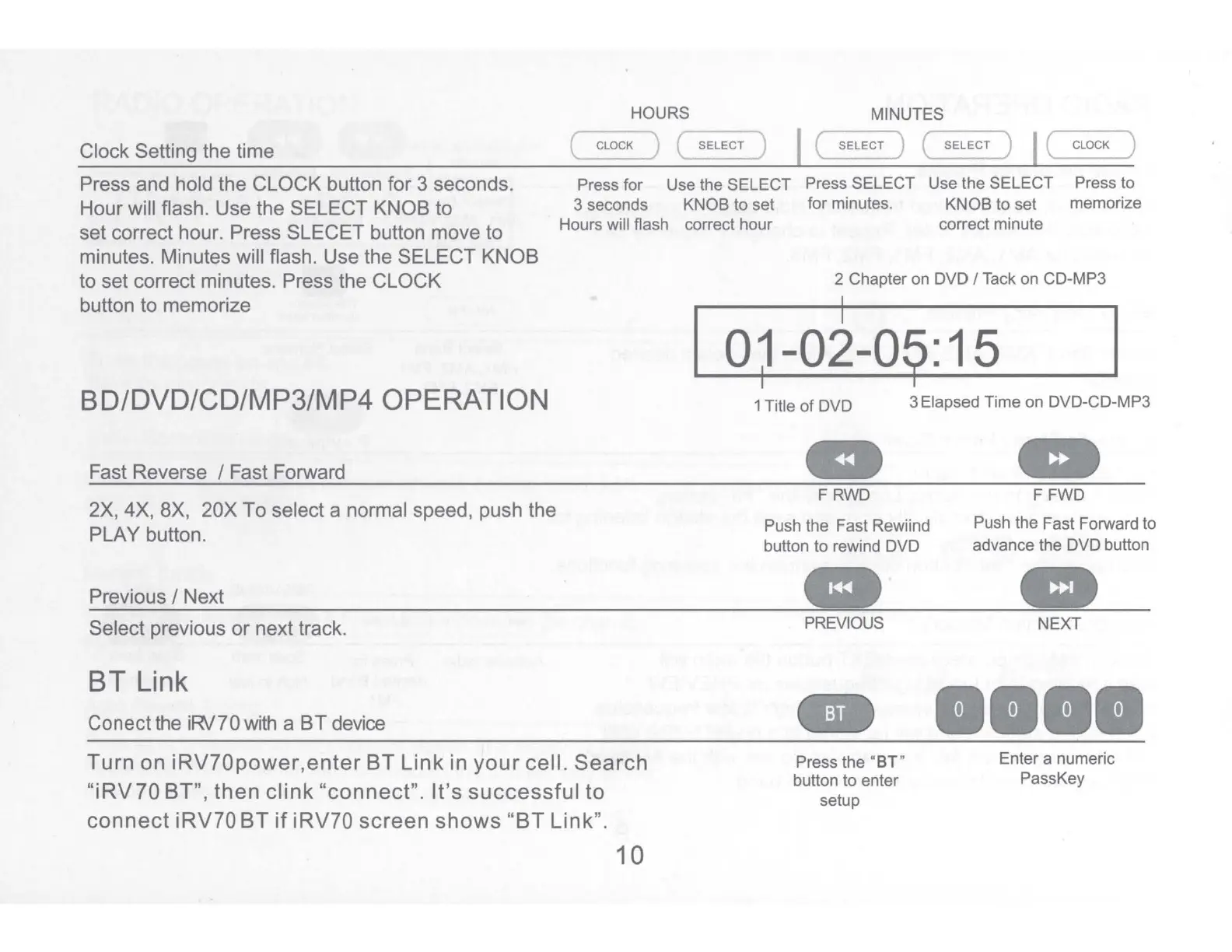
Press and hold the CLOCK button for 3 seconds.
Hour will flash. Use the SELECT KNOB to
Press for Use the SELECT Press SELECT Use the SELECT
Press to
memorize
3 seconds KNOB to set for minutes. KNOB to set
set correct hour. Press SLECET button move to
minutes. Minutes will flash. Use the SELECT KNOB
to set correct minutes. Press the CLOCK
Hours will flash correct hour
correct minute
button to memorize
BD/DVD/CD/MP3/MP4 OPERATION
Fast Reverse / Fast Forward
2X, 4X,
BX,
20X To select a normal speed, push the
PLAY button.
Previous / Next
Select previous or next track.
BT
Link
Conect the iRv?0
with
a
BT
device
Turn on
iRV70power,enter
BT
Link
in
your
cell. Search
"iRV
70 BT", then
clink
"connect".
It's
successful
to
connect
iRV?O BT
if
iRV?O screen
shows
"BT Link".
10
2 Chapter
on
DVD /
Tack
on
CD-MP3
I
a~
-o~-09:
1 s
1 Title
of
DVD
3 Elapsed Time
on
DVD-CD-MP3
Cl
at
FRWD
FFWD
Push the Fast Rewiind Push the Fast Forward to
button to rewind DVD advance the DVD button
..
.
..
PREVIOUS
NEXT
......
Press the "
BT"
Enter a numeric
button to enter PassKey
setup


 To Next Page