iRV
70
FEATURES
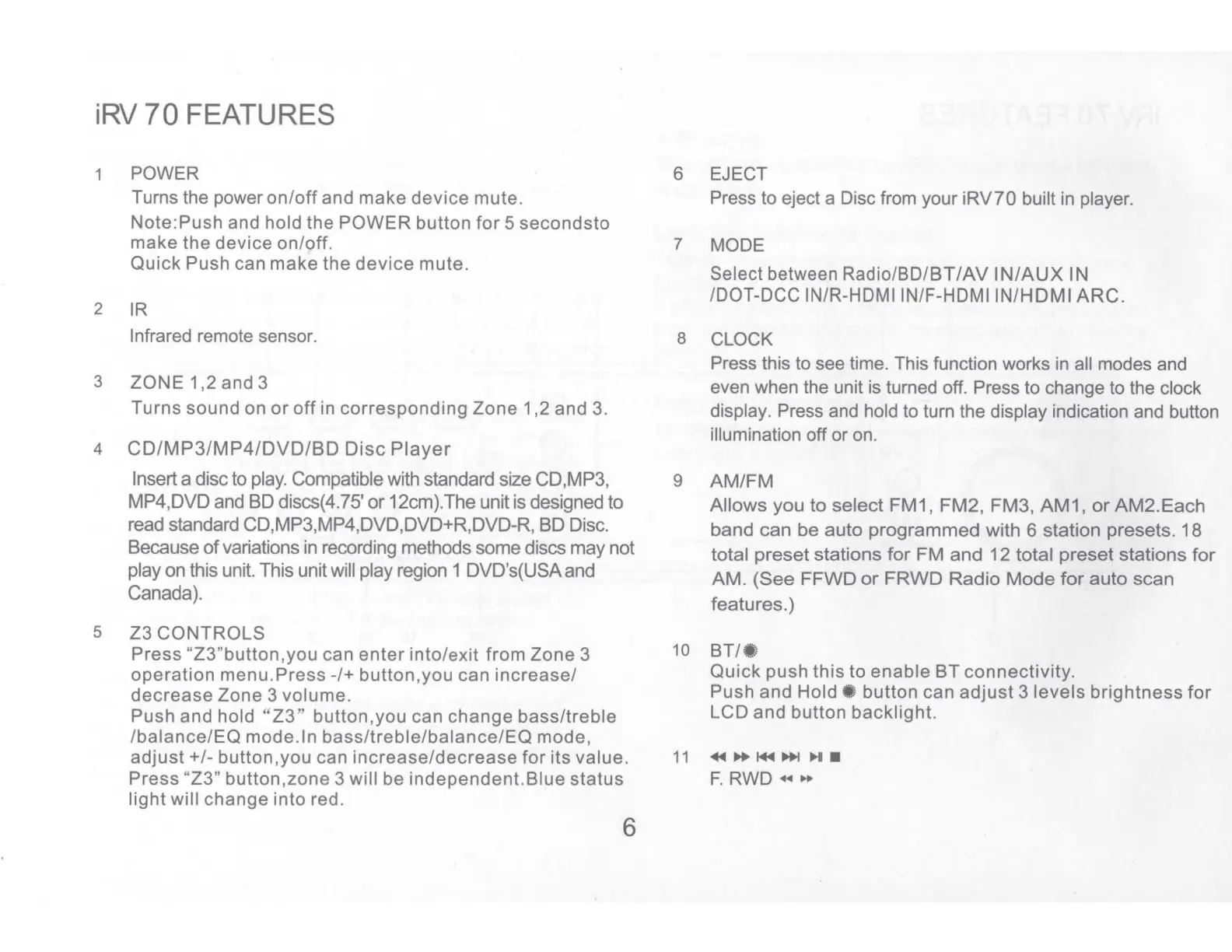
1 POWER
Turns the power
on/off
and make device mute.
Note:Push and hold the POWER button
for
5 secondsto
make the device on/off.
Quick
Push can
make
the
device
mute.
2
IR
Infrared remote sensor.
3 ZONE 1,2 and 3
Turns sound on
or
off
in corresponding
Zone
1,2 and 3.
4
CD/MP3/MP4/DVD/BD
Disc
Player
Insert a disc
to
play. Compatible with standard size CD,MP3,
MP4,DVD and BD discs(4.75'
or
12cm).The unit is designed to
read standard CD,MP3,MP4,DVD,DVD+R,DVD-R, BD Disc.
Because
of
variations in recording methods some discs may not
play on this unit. This unit will play region 1 DVD's(USA and
Canada).
5
23
CONTROLS
Press "Z3"button,you can
enter
into/exit
from
Zone 3
operation
menu.Press-/+
button.you can
increase/
decrease
Zone
3 volume.
Push and hold "
Z3"
button.you can change bass/treble
/balance/EQ
mode. In
bass/treble/balance/EQ
mode,
adjust+/-
button,you can
increase/decrease
for
its
value.
Press "
23"
button,zone 3 will be
independent.Blue
status
light
will change
into
red.
6
6 EJECT
Press to eject a Disc from your iRV?0 built in player.
7 MODE
Select between Radio/BO/BT/AV
IN/AUX
IN
/DOT-DCC IN/R-HDMI IN/F-HDMI
IN/HDMI
ARC.
8 CLOCK
Press this
to
see time. This function works in all modes and
even when the unit is turned off. Press to change to the clock
display. Press and hold to turn the display indication and button
illumination off or on.
9 AM/FM
Allows you to select FM1, FM2, FM3,
AM1,
or
AM2.Each
band can be auto programmed with 6 station presets. 18
total preset stations
for
FM
and
12 total preset stations
for
AM
.
(See
FFWD
or
FRWD
Radio
Mode
for
auto scan
features.)
10
BT/•
1
Quick
push
this
to enable
BT
connectivity.
Push
and
Hold•
button can
adjust
3
levels
brightness
for
LCD and button backlight.


 To Next Page