34
ZERO MY20
EN 428001318037
Use and maintenance manual
16.1 USER INTERFACE
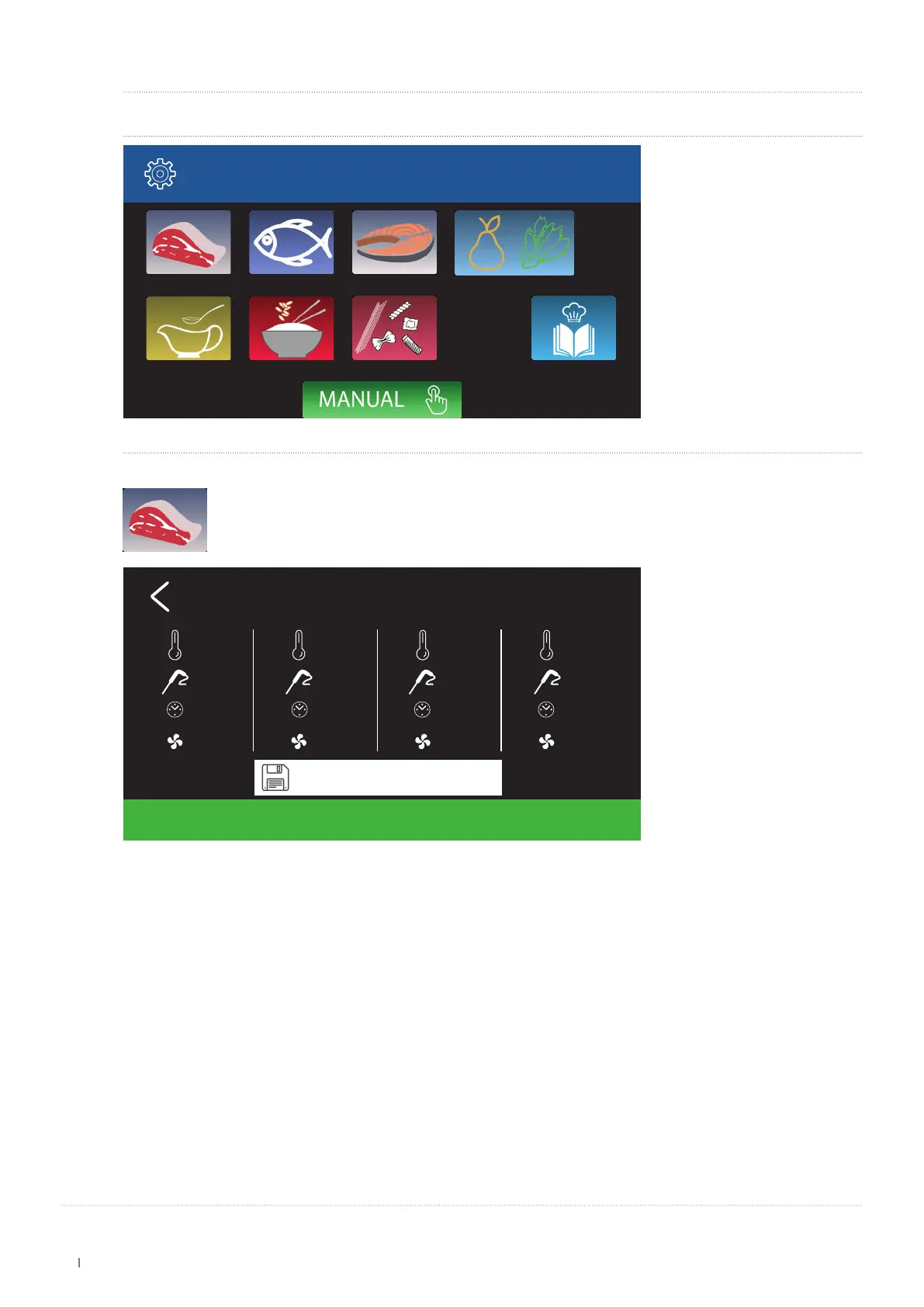
After selecting one of the available options (e.g. Positive Chilling) the indicated menu is displayed:
Positive chilling
Soups and Sauces
Meats Whole sh Fish llet Fruit and Vegetables
Rice and cereals First courses Recipes
Choosing the Meats option, the following screens are displayed:
START
Meats
-20°C
1
12°C
... min
20 %
-2°C
2
3°C
... min
100 %
3°C
3
... °C
CONS
50 %
......
4
......
......
......
save
On this screen it is possible to perform the following operations:
∫ Change the various phase settings and save them.
∫ Press START to start the cycle.
The screen will display Pre cooling (cell cooling - pre-set default values).


 To Next Page