09
4.2 VOX Mode
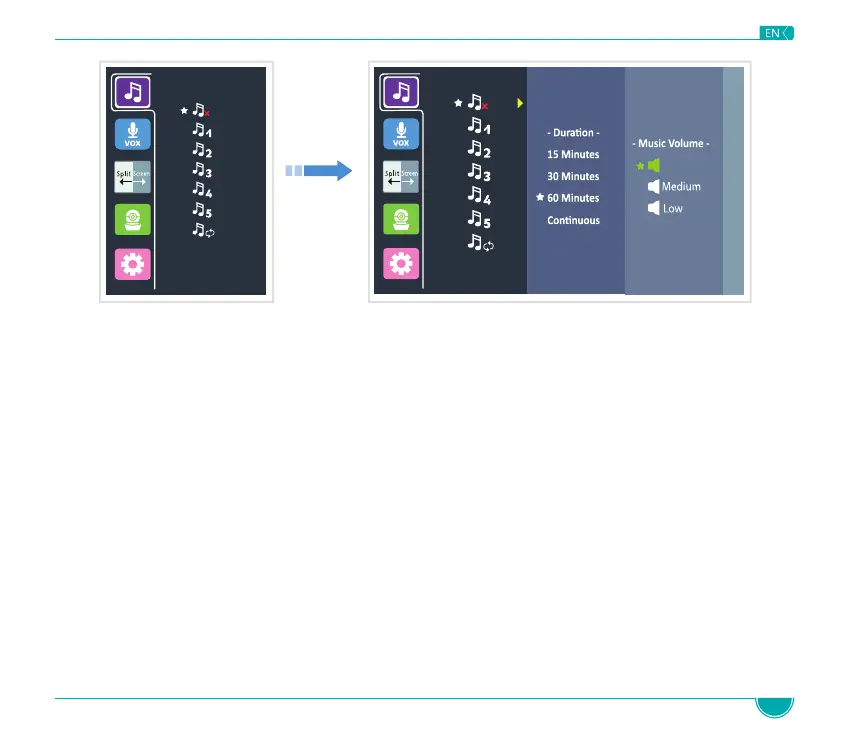
NOTE: Once the lullaby function is turned on, the lullaby icon will be displayed on top of the LCD screen.
When using the VOX function, the sound and video transmission will stop (standby mode) if the Baby Unit
does not register any sound within 30 seconds.
While in standby mode, the LCD screen turns off. Once the Baby Unit registers a sound, louder than the set
sensitivity level, it will automatically start transmitting the signal (sound and video) to the Parent Unit
and the LCD screen will turn on.
NOTE: VOX default setting is OFF.
High
White
Noise
White
Noise
The lullaby default setting is OFF.
When selecting the loop mode only the 5 melodies are played; the White Noise is excluded.
When VOX Mode is active, sound detected from either camera will wake the display and show the
respective camera.



 To Next Page