EasyManua.ls Logo

ISHIDA CCW-R-224B-15-SS - User Manual

ISHIDA CCW-R-224B-15-SS
492 pages
Print Icon
To Next Page IconTo Next Page
Loading...
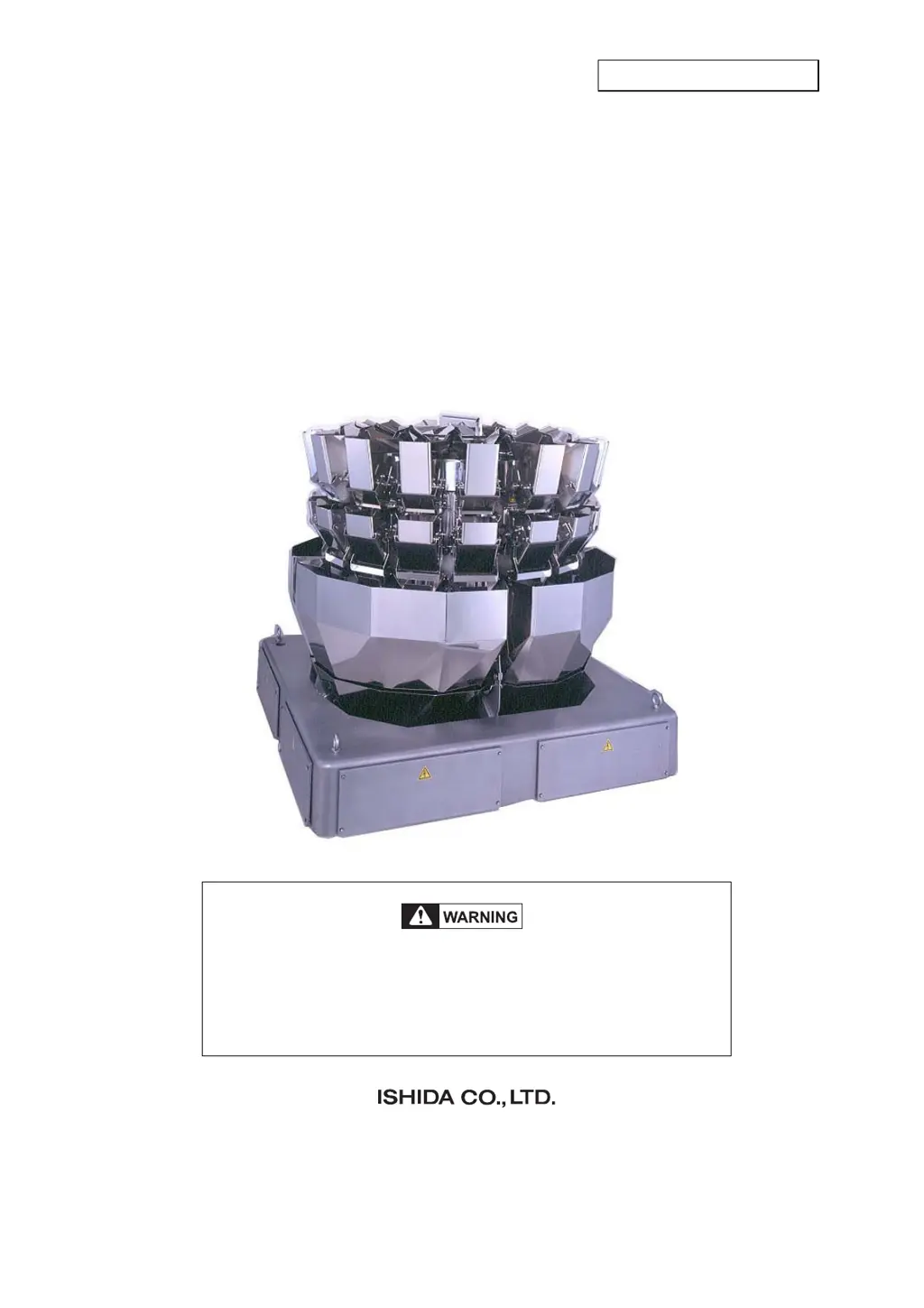
BOOSTER TYPE COMPUTER WEIGHER
CCW-R-2**B
INSTRUCTION MANUAL
Do not carry out installation, operation, service, or
maintenance until thoroughly understanding the
contents of this manual.
Keep this manual available at all times for installation,
operation, service, and maintenance.
UK PN: 281-5142
Issue 3: November 2008

Table of Contents

Questions and Answers

  • G
    Gabrielle ParkAug 18, 2025
    What to do if the ISHIDA Industrial Equipment weigher doesn't operate when the remote control is ON?
    • C
      cameron95Aug 18, 2025
      If the ISHIDA Industrial Equipment weigher doesn't operate when the remote control unit is turned on, several issues could be the cause: * A blown fuse: Replace fuses f601 through f604 of the AC fuse board (P-5507*). These are standard machine midget fuses (250V 3.15A) located in the PS-0 unit. * RCU board malfunction: Replace the RCU board (P-970*). * Component malfunction: Replace the KM01 (electromagnetic contactor) located in the PS-0 unit. * Interlock signal not input: Replace the relay board (P-5506*). Also, check the connection between the relay board (P-5506*) XJ454 and WCU board (P-5561*) J305 if the LED for the switch monitor blinks normally. * FDC board malfunction: Replace the FDC board (P-5532*) if the [Power] key cannot be turned on.
  • L
    Lee WrightAug 20, 2025
    How to troubleshoot a blank screen on the ISHIDA CCW-R-224B-15-SS remote control unit?
    • T
      Timothy SmithAug 21, 2025
      If nothing is displayed on the screen of the remote control unit for your ISHIDA Industrial Equipment, it could be due to: * A breaking or poor connection: Check XC21 connector (PS-RCU unit) and XJ1 connector (Remote control BOX unit) to ensure they are properly connected. * Display malfunction: Replace the switching power (PS-RCU unit U01), the RCU board (P-970*), or the LCD.
  • H
    Heather BeardAug 23, 2025
    What to do if ISHIDA CCW-R-224B-15-SS Industrial Equipment displays a Hopper Error (PH, WH)?
    • J
      jenkinskeithAug 23, 2025
      If your ISHIDA Industrial Equipment displays a Hopper Error (PH, WH), consider the following potential causes and solutions: * Loose screw on the cam sensor: Repair the weigh drive unit. * Board malfunction: Replace the cam sensor board (P- 5207*) or the DUC board (P-5579*/P- 5524*). * Connector issue: Check the conductivity of the DUC board (P-5579*/P-5524*) connector. * Blown fuse: Replace the midget fuse on the DC fuse board (P-5508*) (PS-0 unit). Use a 125V 5A fuse. * Weigh drive unit malfunction: Repair or replace the weigh drive unit.
  • D
    David KirbyAug 26, 2025
    Why is my ISHIDA Industrial Equipment showing a Hopper Error (BH, RS, TH, DTH)?
    • D
      Dawn SpencerAug 26, 2025
      If your ISHIDA Industrial Equipment shows a Hopper Error (BH, RS, TH, DTH), the following could be the cause: * Loose screw on the cam sensor: Repair the drive unit. * Board malfunction: Replace the cam sensor board (P- 5207*) or the DUC board (P-5579*/P- 5524*). * Connector issue: Check the conductivity of the DUC board (P-5579*/P-5524*) connector and the WCU board (P-5561*) connector. * Blown fuse: Replace the midget fuse on the DC fuse board (P-5508*) (PS-0 unit). Use a 125V 5A fuse. * Drive unit malfunction: Repair or replace the drive unit.
  • C
    Charles CarlsonAug 28, 2025
    Why does the feeder not operate on my ISHIDA CCW-R-224B-15-SS?
    • D
      David RobertsAug 28, 2025
      If the feeder on your ISHIDA Industrial Equipment is not operating, check the following: * Blown fuse: Replace fuses f601 through f604 of the AC fuse board (P-5507*). Use a standard machine midget fuse (250V 3.15A) located in the PS-0 unit. * Board malfunction: Replace the FDRV board (P-5578*) or FDC board (P-5532*) located in the main electrical unit.
  • K
    kthomasAug 31, 2025
    What to do if the main power breaker shuts down on ISHIDA Industrial Equipment?
    • J
      julie66Aug 31, 2025
      If the main power breaker shuts down on your ISHIDA Industrial Equipment, it could be due to: * Electric leakage of the weighing machine: Check for electric leakage and short circuit. * Short circuit in the electrical circuit of the weighing machine.
  • K
    Kelly SharpSep 2, 2025
    How to correct weight discrepancies on ISHIDA Industrial Equipment?
    • M
      Manuel BrownSep 2, 2025
      If the weight of the product is significantly different from the displayed weight on your ISHIDA Industrial Equipment, the setting of the head specification switch on the DUC board may be incorrect. Check the test drive and set correctly by SW1 on the DUC board (P-5579*/P- 5524*) in the DUC unit.
  • H
    harrisdonaldSep 5, 2025
    What causes an [OVERSCALE ERROR] on ISHIDA CCW-R-224B-15-SS Industrial Equipment?
    • D
      davidvargasSep 5, 2025
      An [OVERSCALE ERROR] on ISHIDA Industrial Equipment may be caused by infeed control phototube malfunction. Replace the phototube to avoid pooling of the product caused by not being able to control the amount of product supplied to the feeder.
  • C
    Christopher KirkSep 7, 2025
    What to do if ISHIDA CCW-R-224B-15-SS Industrial Equipment displays a [ZERO ERROR]?
    • N
      nelsontiffanySep 7, 2025
      If your ISHIDA Industrial Equipment displays a [ZERO ERROR], here are some potential solutions: * Board malfunction: Replace the ADC board (P-5576*) if zero cannot be obtained even when J320 to J322 are disconnected. Alternatively, replace the preamp board (P-5527*). * Weigh mechanism malfunction: Replace the load cell. * ±15V power malfunction: Check the ADC board (P-5576*) J324 connector and replace the PS-CAL unit.
  • C
    Christopher OdomSep 9, 2025
    What causes a '[WARNING: NO TRANSMISSION]' error on ISHIDA CCW-R-224B-15-SS Industrial Equipment?
    • J
      joshuabennettSep 9, 2025
      A '[WARNING: NO TRANSMISSION]' error on ISHIDA Industrial Equipment may be due to a connector breaking or poor connection. Check the conductivity of the following connectors: J350 (ADC board P-5576*), XT601 (PS-0 unit), XJ455 (relay board P-5506*), XJ453 (relay board P-5506*), and XJ384 (DMU board P-5562*).

Summary

1 SAFETY PRECAUTIONS

1.3 General Precautions

Essential safety measures for device operation and maintenance.

1.6 Power Supply Shut Off and Indication

Procedures for safe power shut off and necessary indications during maintenance.

4 OPERATION PROCEDURES

4.2 Emergency Stop and Restart

Step-by-step instructions for emergency stopping and restarting the device.

6 FUNCTIONS OF THE OPERATION SCREENS

6.6 [Zero Adjustment] Screen

Explains how to perform zero adjustment for accurate weighing.

9 CLEANUP PROCEDURES

9.2 Washing and Sterilization

Details general methods for washing and sterilizing device components.

9.4 Washing and Sterilizing of Components

Specific instructions for washing and sterilizing removable and unremovable parts.

10 MAINTENANCE AND INSPECTION

11 CAUSES AND ACTIONS FOR ERRORS AND FAILURES

11.2 Error Display and Action

Explains error messages and corresponding corrective actions.

11.4 Troubleshooting

Provides corrective actions for engineers facing issues.

12 INSTALLATION

12.5 Check and Adjustment After Installation

Outlines final checks and adjustments post-installation.

ISHIDA CCW-R-224B-15-SS Specifications

General IconGeneral
BrandISHIDA
ModelCCW-R-224B-15-SS
CategoryIndustrial Equipment
LanguageEnglish

Related product manuals