SETTINGS
3
Measuringcentres– M
320,MC330,MC350&MC350H‐User’sManual
Security
Settingsparametersaredividedintofourgroupsregardingsecuritylevel:
1 Atthelowestlevel(PL0),whereapasswordisnotrequired,parametersofLCDcanbeset:language,
contrastandLCDbacklight.
2 Atthefirstlevel(PL1),settingsofarealtimeclock(MC350andMC350H)canbechangedandenergy
metersandMDcanbereset.
3 Atthesecondlevel(PL2),theaccesstoalldatathatareprotectedwiththefirstlevel(PL1)andsettingof
allotherparametersinthe»SETTINGS«menuareavailable.
4 Abackuppassword(BP)isusedifpasswordsatlevels1(PL1)and2(PL2)havebeenforgotten,anditis
differentforeachdevice(dependingonaserialnumberofthemeter).TheBPpasswordisavailablein
theusersupportdepartmentinISKRA,d.d.,andisenteredinsteadofthepasswordPL1or/andPL2.Do
notforgettostatethemeterserialmeterwhencontactingthepersonnelinISKRA,d.d..
PLEASENOTE
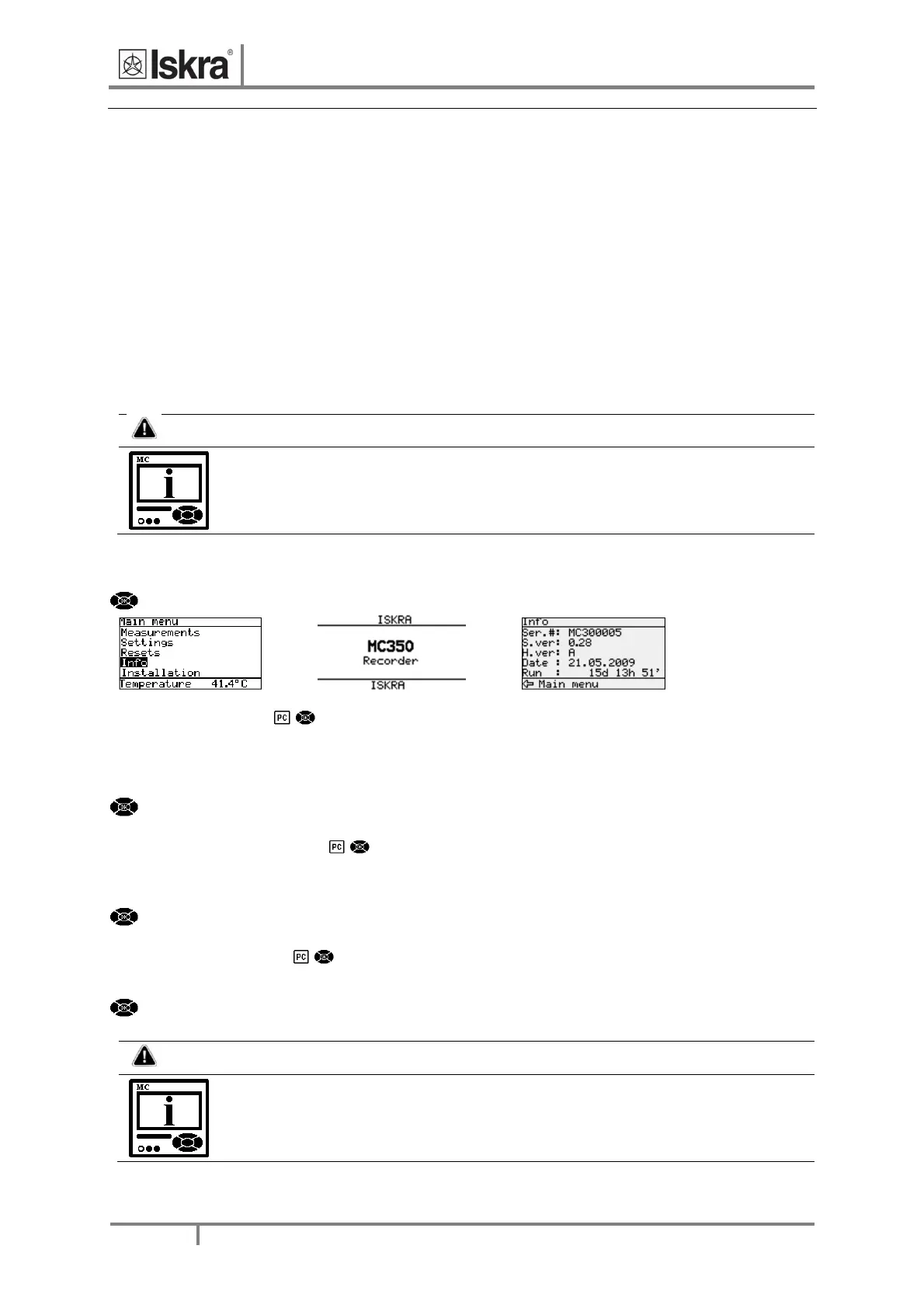
Aserialnumberofdeviceisstatedonthelabel,LCD(seeexample below) and is also
accessiblewithMiQensoftware.
Theaccesstothedeviceserialnumberviaakeyboard
Example:
MainmenuInfoOK
OK
Passwordsetting
ApasswordconsistsoffourletterstakenfromtheBritishalphabetfromAtoZ.Whensettingapassword,only
theletterbeingsetisvisiblewhiletheothersarecoveredwith*.
Apasswordofthefirst(L1)andthesecond(L2)levelisentered,andtimeofautomaticactivationisset.
MainmenuSettingsSecurityPasswordlevel1/Passwordlevel2/Passwordlocktime
Passwordmodification
Apasswordisoptionallymodified;however,onlythatpasswordcanbemodifiedtowhichtheaccessisunlocked
atthemoment.
MainmenuSettingsSecurityPasswordlevel1/Passwordlevel2
Passworddisabling
Apasswordisdisabledbysettingthe"AAAA"password.
MainmenuSettingsSecurityPasswordlevel1/Passwordlevel2"AAAA"OK
PLEASENOTE
Afactorysetpasswordis"AAAA"atbothaccesslevels(L1andL2).Thispassworddoesnot
limitaccess.


 To Next Page