eJoni
Step 9 of 13
Turning the bikes electrical system
on and o
Your new eJoni will not provide any form of assistance unless the
electronic portion of the bike is switched on. This not only acts as a safety
feature but also makes it possible for you to use the bicycle normally
should you run out of battery charge.
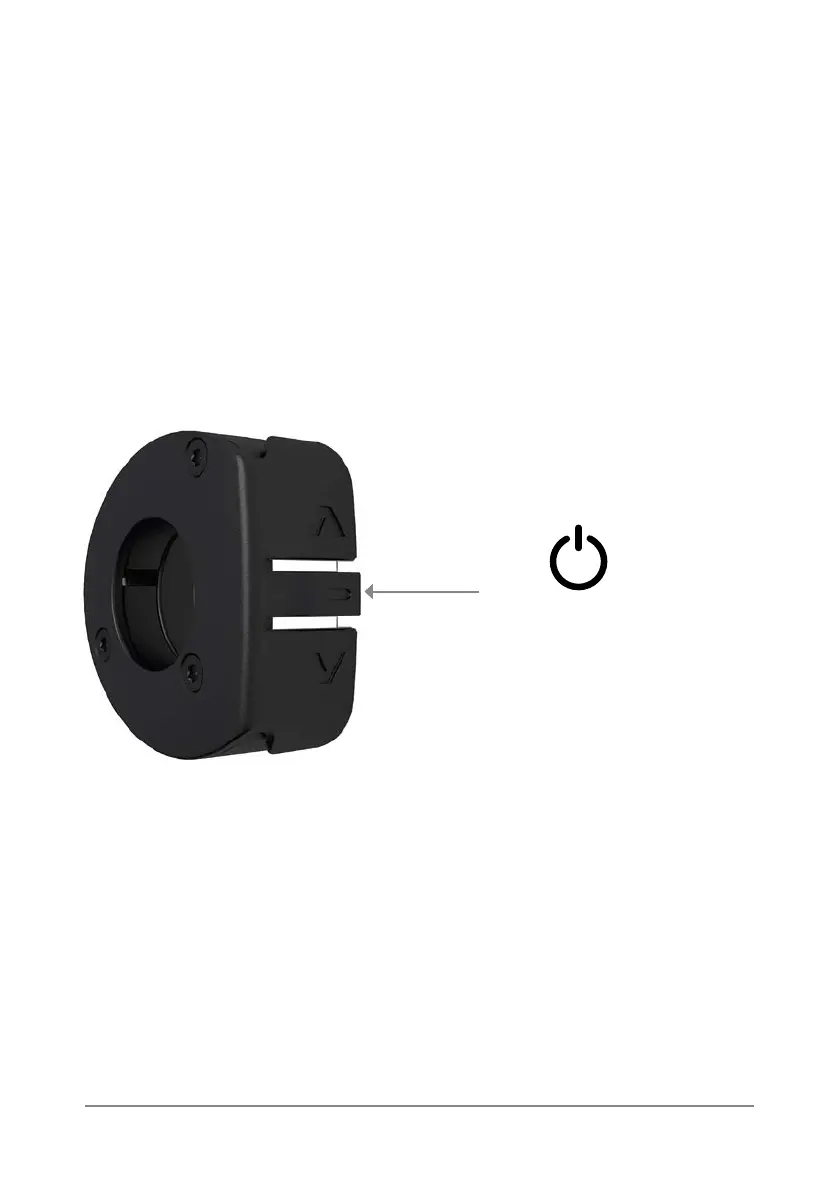
To turn on the bicycle, follow these steps:
1. A long press of the middle button will turn the motor assist on.
When the system is turned on, the controller goes through the following
sequence:
i) Vibrate for a short period to conrm the device is powering up.
ii) Vibrate for a shorter period and display a coloured LED to show the
level of battery charge remaining. At this point the bike is ready to use.
2. A long press of the middle button will then turn the device o.
Long Press: On / O



 To Next Page