ww w.islabikes.co.uk
Step 10 of 13
Pairing your bike to your smart device
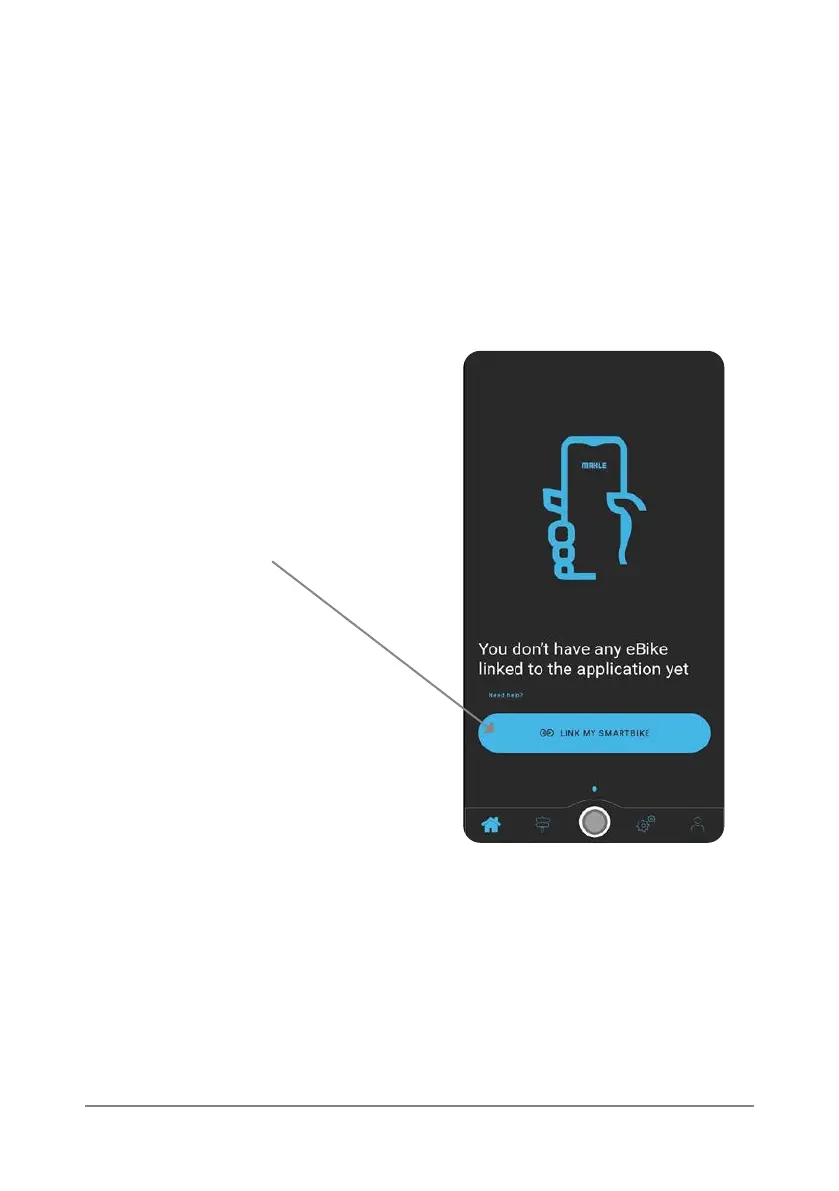
4. Press the ‘link my SmartBike’
button at the bottom of the
screen.
1. Open the My SmartBike App on your smart device.
2. Login using the username and password that you created in step 6.
3. Ensure that the ebike is turned on.
If you have multiple eJoni’s, the app
will give you a list of available bikes
to choose from.
5. Once successfully paired, a notication banner will appear at the top of
the screen and the iWoc Trio remote will ash blue. You are then ready
to make the most of the features on oer within the app. If you need
further assistance with this step then please don’t hesitate to contact
us on +44 (0) 1584 708 383.



 To Next Page