eIcons - eJimi www.islabikes.co.uk
Step 7 of 12
Charging the battery continued
Step 7 of 12
Charging the battery
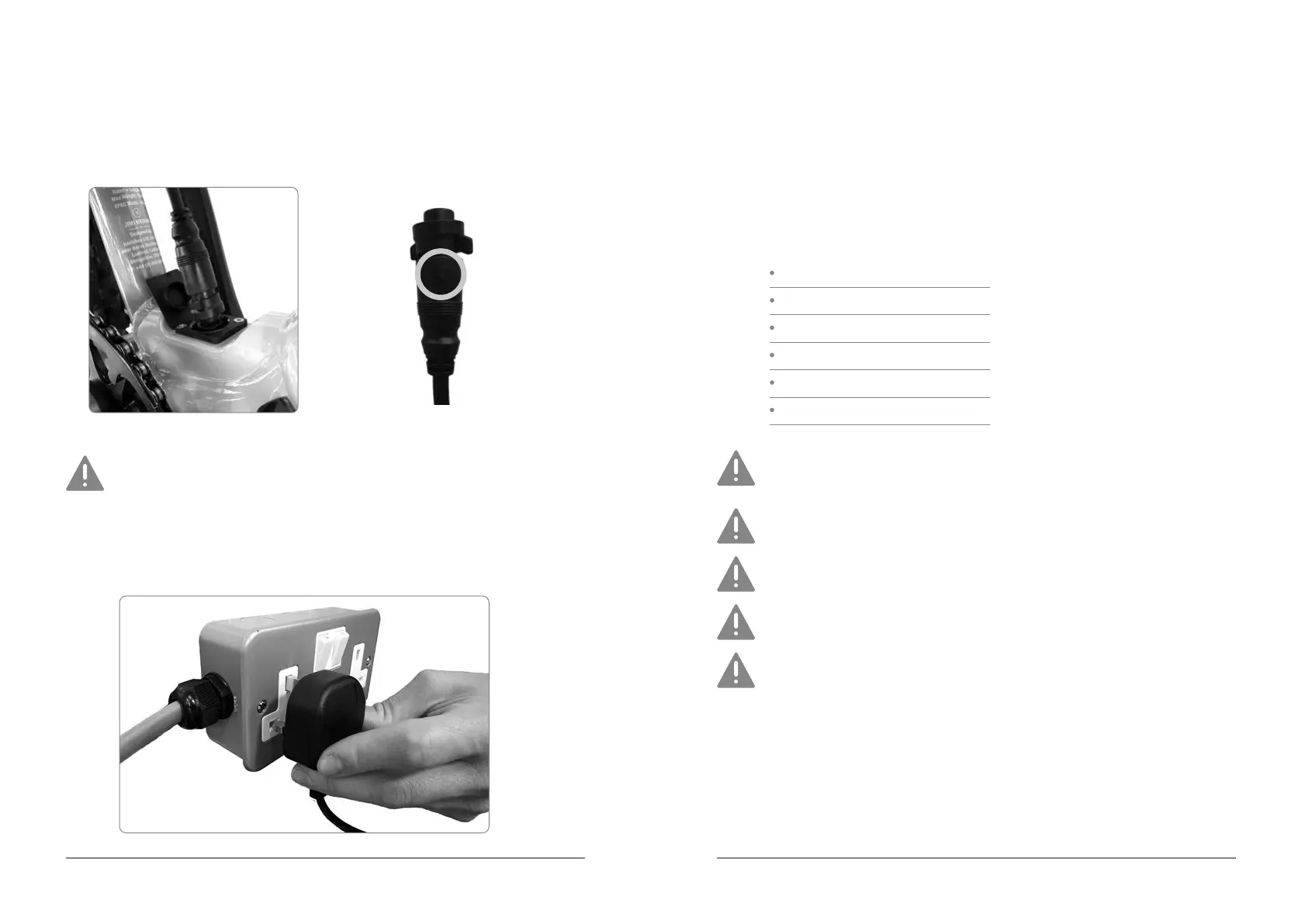
1. First, connect the charger to the charging port on your bicycle.
Both the connector and the charging point have arrows moulded
into them to show the correct alignment. Failure to correctly align
the arrows may damage the pins in the connector and prevent you
from being able to charge the bike.
2. Then connect the charger to the power outlet.
3. The light on the iWoc Trio handlebar controller will light up automatically.
4. During the charging process the light will change colour to indicate the
level of battery charge:
White = >75%
Green = 75>50%
Amber = 50>25%
Red = 25>15%
Slow Flashing Red = 15-10%
Fast Flashing Red = <10%
Please do not leave the charger plugged in to the mains for more
than 5 hours.
The battery charger is suitable for indoor use only.
Never attempt to tamper with either the charging plug or connector.
Always re-t the charging port cap once the bike is charged.
Never attempt to remove the battery from the downtube of your
eIcons.


 To Next Page