ITECHWORLD LITHIUM BATTERY
BYPASS SWITCH
USER GUIDE
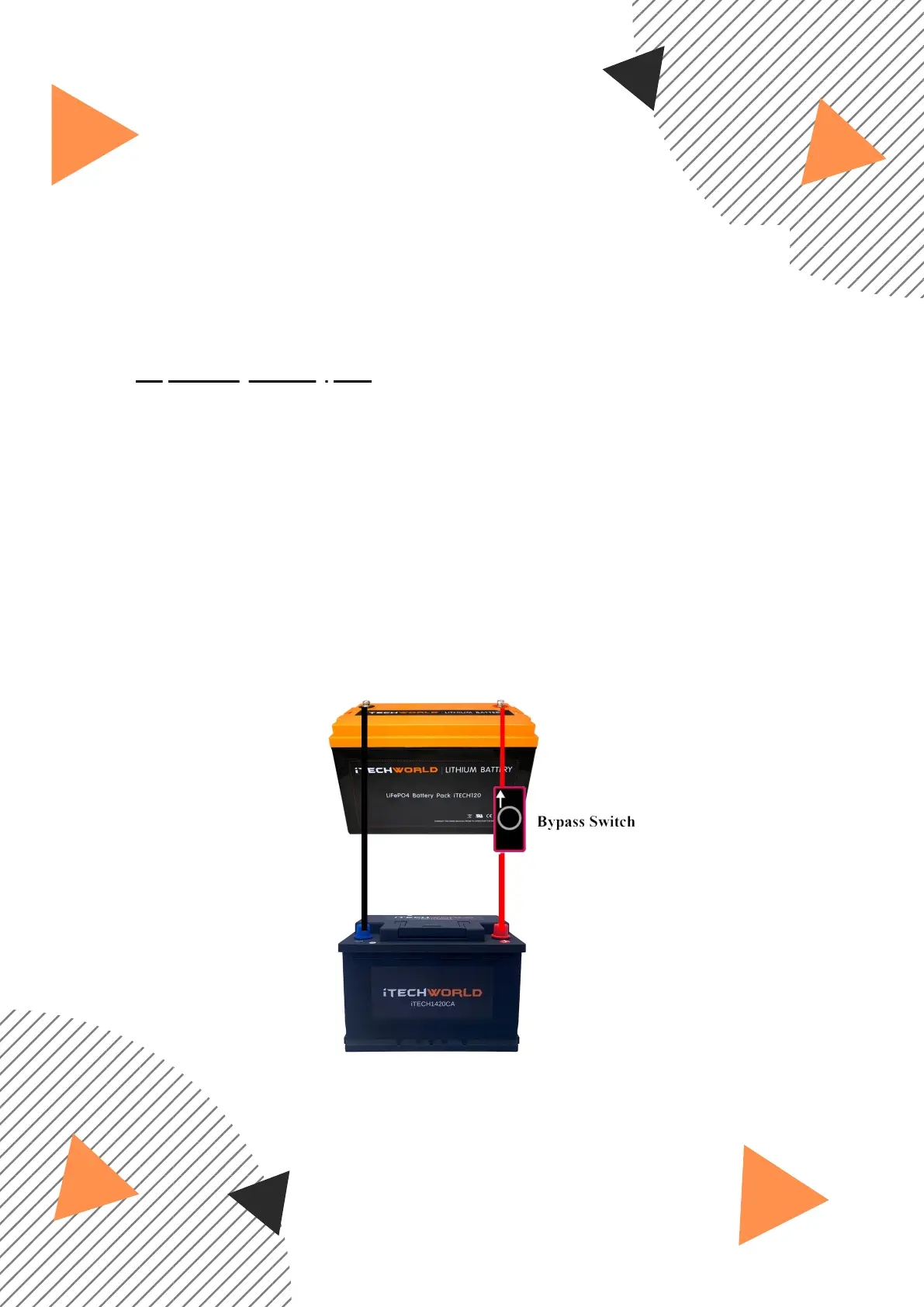
With the bypass switch, this allows the reset mechanism
to be permanently wired to your iTECH120X and allows for remote
BMS resetting,
both batteries must be on the same negative ground:
You can purchase the lithium battery bypass switch here:
https://bit.ly/itechbypass
Install the bypass switch connecting only the positive terminals
of the iTECH120X battery and your main starting battery, or any
other battery. Both batteries must share the same negative
ground, the arrow indicated on the switch must point to the
iTECH120X.
Once the cable is installed you can simply press and hold the
button for a few seconds to reset the BMS.
1.
2.


 To Next Page