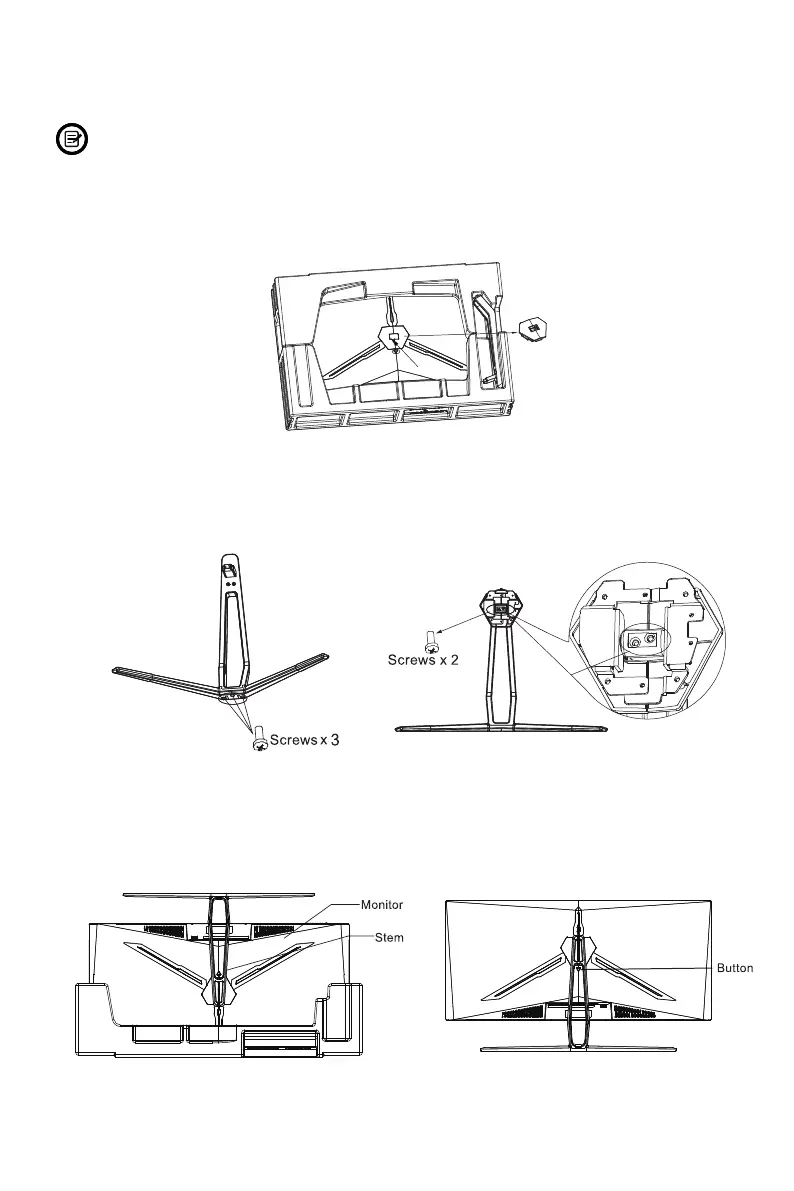
1. Open the package, take out the product out with the protective foam still attached
and gently lay it flat on a desk or table. Remove the extra parts and the foam
covering the back of the monitor. Then press the button to remove the stand plate.
2. Use a screwdriver (not included) and three PM4*12 screws to fix the base to the
stem, and then use two KM4*12 screws to fix the bracket plate to the stem.
3. Use the base bracket assembly assembled in step 2 to align the machine slot and
buckle down. (note: press and hold the quick release button with your fingers to
take out the base bracket assembly)
Make sure the monitor is laid on a flat surface before removing the stand.
Eng-4
5.
Stand Installation



 To Next Page