8
CHAPTER 3:
Operating Instructions
INITIAL POWER-UP AND BOOT
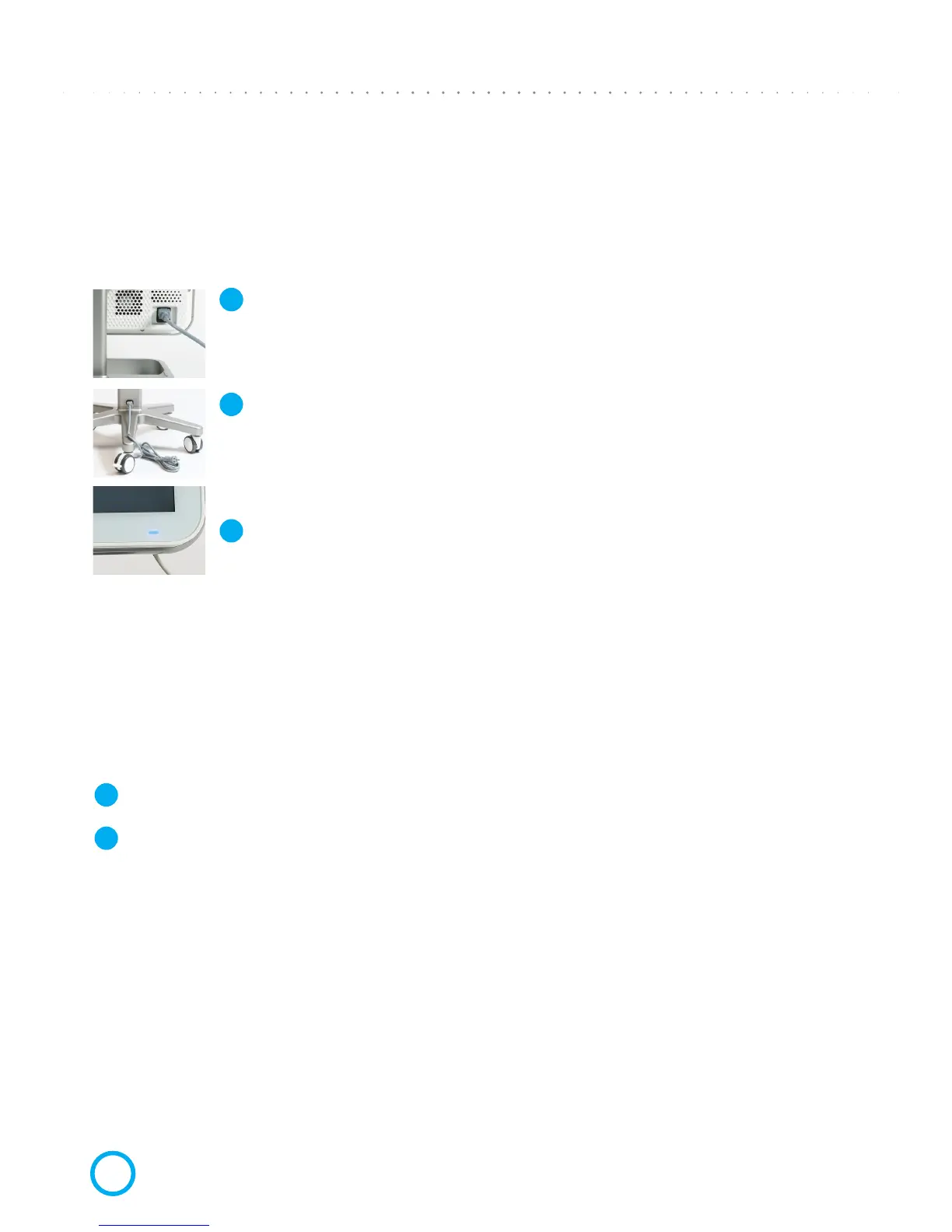
Plug main cable into the Base Unit socket and other end into wall outlet;
Plug free end of Wheel Stand main cable into wall socket.
Press and release the power switch on the bottom of the screen frame, on
the right side. The power LED will turn on.
It is recommended to keep the system in operation during ofce hours to allow background
le transfers between the doctor’s ofce, the doctor’s partnered labs, and the Align
Technology Center. It is recommended to shut down the system at the end of the day,
and to reboot in the morning.
END-OF-DAY SHUT DOWN
Close all les and applications.
Press and release the Power Switch on the bottom of the screen to shut down the system.
MOVING SYSTEM WITHIN THE OFFICE
To ensure maximum system protection, it is recommended to have two people move
the system. Follow these instructions for relocating the system:
1 Verify the Scanning Unit (Wand) sits well inside the Scanning Unit Cradle (holder).
2 Press and release the Power Switch on the bottom of the screen to shut down the system.
3 Unplug system from the wall outlet.
4 Move the system carefully using two people.
5 Place the system at its new location and it plug into a wall outlet.
6 Press and release the power switch to power ON the system.
1
11
2
3
2


 To Next Page