10
CHAPTER 5:
Scanner Handling, Cleaning, and
Disinfection Instructions
HANDLING OF THE SCANNING UNIT (WAND)
• The Scanning Unit contains delicate components and should be handled with care.
HANDLING OF THE SCANNING UNIT CABLE
• The scanner cable should be treated with care to avoid possible damage.
• Avoid twisting, knotting, pulling or stepping on cable, etc.
• Between patient sessions, it is recommended to undo any twists and knots in order to
relieve all tension from the scanner cable
RECOMENDED BEST PRACTICES FOR CLEANING AND DISINFECTING
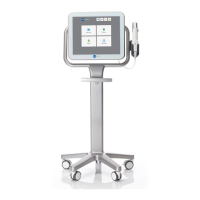
the Scanning Unit, Base Unit, Wheel Stand and/or Counter Stand in between patients.
• Do not spray disinfectant directly on scanner system surfaces.
• Spray the disinfectant on a towel, or use disinfectant wipes for the Scanning Unit,
and Base Unit.
• Warning: over saturation of disinfectant product on the scanner system surfaces may
cause damage, including internal components.
• Follow the disinfectant manufacturers’ instructions for appropriate contact time.
Remove residual liquid disinfectant with a lint-free, clean cloth.
• Note: follow standard precautions for personal protection, as appropriate.
• Warning: DO NOT touch the optical surface of the Scanning Unit (Wand).


 To Next Page