7
Manage Nocaons
iTOUCH Fuse stores up to 3 nocaons, aer which the oldest are replaced as you receive new ones.
Turn O Nocaons
Turn o all or certain nocaons with the iTOUCH Fuse app.
TIMEKEEPING
Alarms vibrate to awake or alert you at a me you have set. Set up to 3 alarms to occur once or on
mulple days of the week via the iTOUCH Fuse app. You can also me events with the stopwatch under
sengs.
ACTIVITY AND SLEEP
iTOUCH Fuse connuously tracks a variety of stats whenever you wear it. The informaon is then trans-
ferred to the iTOUCH Fuse app every me you sync your smartwatch.
See your stats
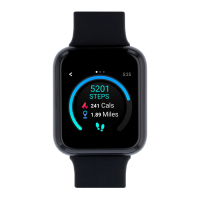
Core stats: Steps taken today, calories burned, distance covered, and acve minutes.
Find your complete history and other informaon automacally detected by your smartwatch, such as
sleep data in the iTOUCH Fuse app.
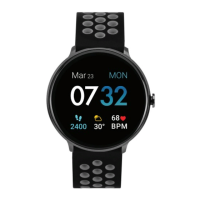
See via watch faces:
- From Simply (Blue) watch face, you can see your steps taken
- From Simply (Yellow) watch face, you can see your steps and distance traveled
- From Modern watch face, you can see distance traveled and calories burned
Track a daily acvity goal
iTOUCH Fuse tracks your progress towards a daily acvity goal of your choice. When you reach your goal,
the smartwatch vibrates and shows a celebratory achievement.
Seng a goal
Set a goal to help you get started on your health & tness journey. To begin, your recommended goal is
set to take 8,000 steps per day. Choose to change the goal number via the iTOUCH Fuse app under the
accounts tab. Tap Goal to begin seng.
Turn on reminders to move in the app to set a sedentary reminder nudge. The sedentary reminder can
be enabled in addional features. this feature is acve during the hours of 10:00 AM - 6:00 PM.


 To Next Page